
Christmas PFP AI Generator
Upload a photo, describe a festive look, and the Christmas PFP AI generator restyles it into a cozy holiday profile picture while keeping your face exactly the same.
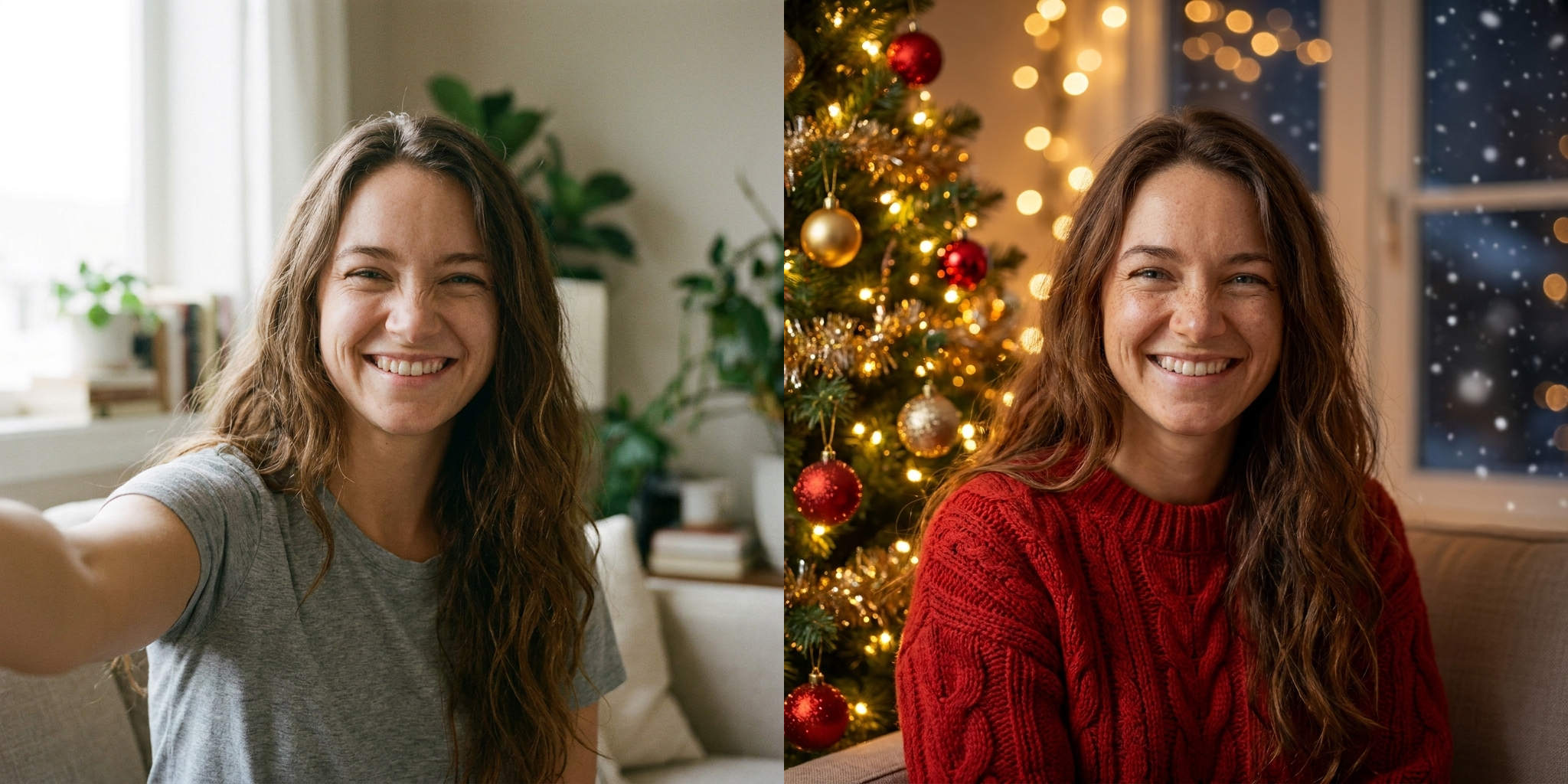
Plain selfie → cozy tree-side PFP
Look: red knit sweater by a glowing tree, warm bokeh, soft snow — same face, festive restyle.
AI-generated examples
Drag & drop or click to upload
Supports PNG, JPG, WEBP • Max 20MB
Sign in to start generating
How it works
How the Christmas PFP AI generator works
Three quick steps from an everyday photo to a share-ready festive avatar.
Upload your photo
Pick a clear, well-lit photo with your face fully visible. Front-facing selfies and head-and-shoulders shots give the cleanest, most convincing holiday portraits.
Describe the festive look
Type the vibe you want — a cozy red knit sweater by a glowing tree, a Santa hat in soft snowfall, or an elegant gold-and-white winter portrait. Add props and lighting cues for a closer match.
Get your Christmas PFP
The generator restyles wardrobe, background, and lighting into a warm holiday scene while keeping your face intact, then hands you a square, high-resolution avatar to download.
Christmas PFP AI examples
Each portrait below was made with this tool's own prompt — same face, restyled into a festive holiday profile picture.
Plain selfie → cozy tree-side PFP
Look: red knit sweater by a glowing tree, warm bokeh, soft snow — same face, festive restyle.
Look: red knit sweater by a glowing tree, warm bokeh, soft snow — same face, festive restyle.

Plain selfie → Santa-hat snow PFP
Look: Santa hat, soft snowfall, twinkling lights — same face, festive restyle.
Look: Santa hat, soft snowfall, twinkling lights — same face, festive restyle.
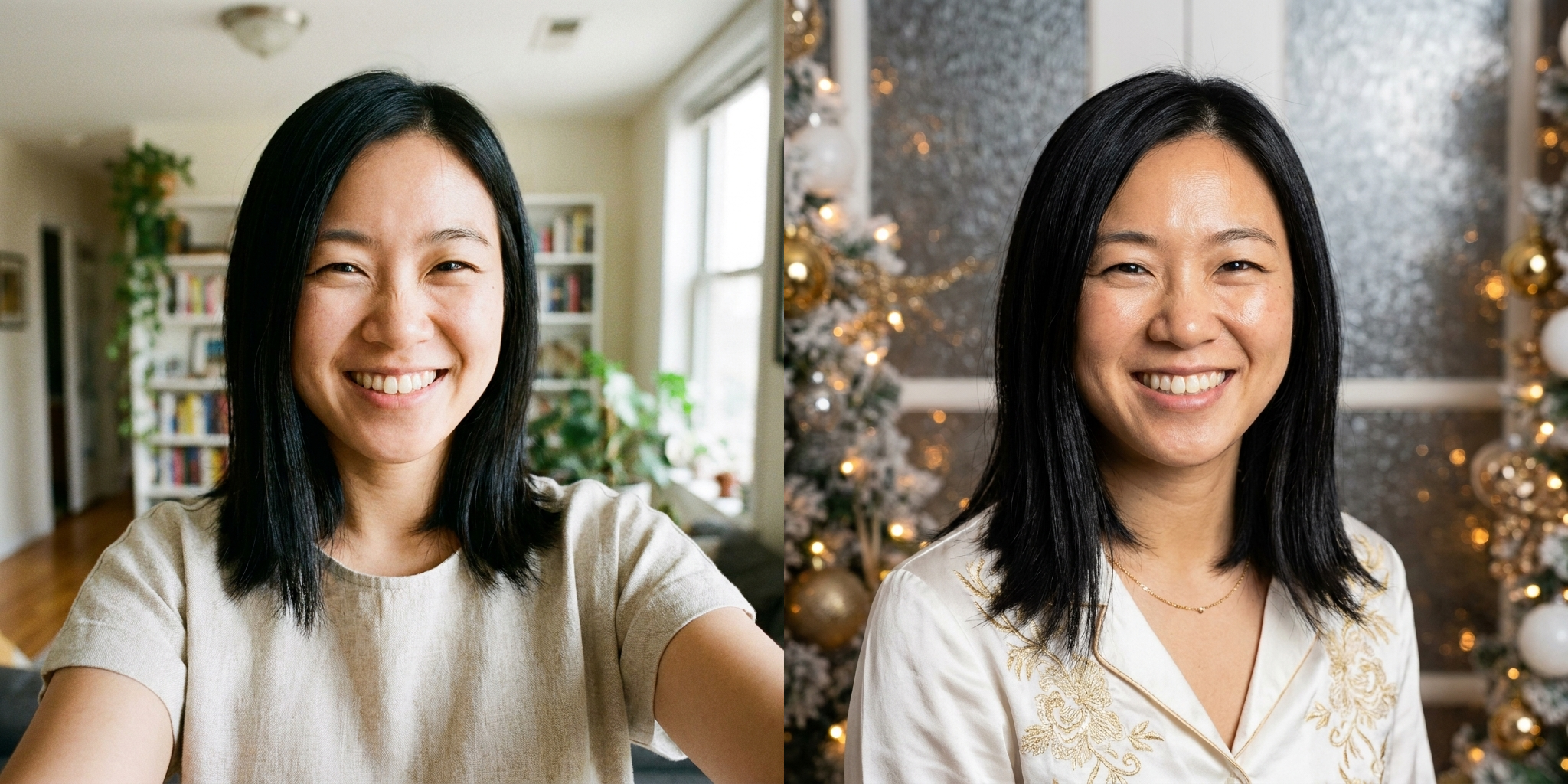
Plain selfie → elegant winter-gala PFP
Look: gold-and-white gala palette, soft studio light, frosted backdrop — same face, festive restyle.
Look: gold-and-white gala palette, soft studio light, frosted backdrop — same face, festive restyle.
Why this tool
Why people love the Christmas PFP AI generator
Your face stays you
The prompt locks your facial features, skin tone, and hair. Only wardrobe, background, and festive lighting change — so the avatar is unmistakably you, just dressed for the season.
Describe any holiday style
Cozy fireside, snowy Santa hat, sparkling tree bokeh, elegant winter gala — type the look you want and the model builds the whole festive scene around you.
Ready in seconds
No photo studio, no holiday outfit, no manual editing. A full festive profile picture is ready moments after you upload your photo.
Photoreal, not cartoon
Realistic skin texture, natural shadows, and believable fabric keep your Christmas PFP looking like a real photograph instead of a flat sticker or illustration.
Perfect square framing
Every result is centered and cropped as a clean 1:1 image, sized for profile pictures on any social app without awkward cropping.
Clean high-res download
Save a crisp, share-ready avatar with no watermark burned across your face — ready for your socials, group chats, or a festive family photo swap.
The rundown
Christmas PFP AI Generator: Turn Any Photo Into a Festive Profile Picture
The Christmas PFP AI generator turns an ordinary selfie into a warm, festive profile picture in seconds. You upload a photo, describe the holiday look you are after, and the tool rebuilds the scene around you — a glowing tree, soft snowfall, a cozy knit sweater, twinkling light bokeh — while keeping your face exactly the same. Instead of booking a seasonal photoshoot or fiddling with layers in an editor, you get a polished, share-ready avatar that still looks unmistakably like you. That combination of speed, control, and identity preservation is what makes a dedicated Christmas PFP AI tool so useful in the weeks leading up to the holidays, when everyone wants their socials to feel seasonal. There is no learning curve and no design skill required — if you can take a selfie and type a sentence, you can make a Christmas profile picture that looks like it came out of a studio session.
Under the hood, the generator uses an image-to-image model that reads your uploaded photo and your text description together. It identifies and locks your facial features, skin tone, and hair, then repaints everything else — wardrobe, background, lighting, and atmosphere — into the festive scene you asked for. Because the prompt behind the Christmas PFP AI generator carries a strong identity-preservation instruction, the model treats your face as fixed and only changes the world around it. The result reads as a genuine holiday photo of the same person rather than a cartoon filter or a face pasted onto a stock image.
The style coverage is deliberately broad. A Christmas PFP AI portrait can lean cozy and candid — a red sweater by the fireplace, a mug of cocoa, warm amber light — or it can go polished and elegant, with a gold-and-white winter palette, soft studio lighting, and a frosted backdrop. You can ask for a classic Santa hat and falling snow, a decorated-tree bokeh wall, a snowy outdoor scene, or a minimal festive portrait with just a few red-and-green accents. Each description steers wardrobe, props, and lighting, so two people using the same tool can end up with completely different seasonal looks. If you are not sure where to start, a simple holiday profile picture request like "cozy sweater, warm tree lights behind me" already produces a strong result, and you can refine from there.
Getting a great Christmas PFP AI result starts with the photo you upload. Choose a clear, well-lit image where your face is fully visible and facing roughly forward; front-facing selfies and head-and-shoulders shots work best. Avoid heavy shadows, sunglasses, hats that hide your hairline, or extreme angles, since the model preserves what it can see clearly. Then be specific in your description: name the wardrobe ("cozy cable-knit sweater"), the setting ("in front of a glowing Christmas tree"), and the lighting ("warm golden bokeh, soft snowfall"). Concrete cues give the Christmas PFP AI generator more to work with and bring the output closer to what you pictured.
The use cases go well beyond a single avatar swap. People use a Christmas PFP AI portrait as a seasonal profile picture across their social accounts, as a matching set for a family group chat, as coordinated team avatars for a work channel, or as the centerpiece of a digital holiday card. Because every image comes out as a clean square, it drops straight into the avatar slot on almost any platform without awkward cropping. Some people make a fresh festive portrait each December as a small tradition; others generate several styles and let friends vote on the best one.
Compared with the manual alternative, the time savings are dramatic. A traditional festive portrait means arranging an outfit, setting up decorations and lighting, taking dozens of shots, and then editing the best one — easily an afternoon of work. Hiring a photographer costs more and still takes days to turn around. The Christmas PFP AI generator collapses all of that into a single upload and a sentence of description, returning a finished image in seconds. You keep full creative control through the text prompt, but you skip the logistics, the gear, and the editing entirely. It also costs a fraction of a studio booking, which matters when you want a fresh festive profile picture every year rather than a one-off portrait you reuse until it feels dated.
Quality holds up because the model works with photoreal rendering rather than a stamped overlay. Skin keeps its natural texture, fabric folds and catches light believably, and the festive background sits behind you with real depth and soft focus instead of looking like a flat sticker. The square framing is handled automatically, so your face stays centered and correctly sized for a profile picture on any app, from messaging platforms to social feeds, without you having to crop or resize anything by hand. When you download a Christmas PFP AI image, there is no watermark across your face — you get a crisp, high-resolution file ready to post, share, or print for a card.
Getting started takes less than a minute. Open the generator, upload a clear photo, type the festive look you want, and let the tool do the rest. If the first result is close but not perfect, tweak your description — swap the sweater color, change the backdrop, or adjust the lighting — and generate again. With a little experimentation, the Christmas PFP AI generator gives you a seasonal profile picture that feels both genuinely festive and genuinely you, ready in time for the holidays. Make one for yourself, then run a few more for family and friends so everyone shows up to the season with a matching festive avatar — a small, fun tradition that takes minutes instead of an afternoon.
Christmas PFP AI generator FAQ
No. The generation prompt explicitly instructs the model to keep your face, facial features, skin tone, and hair exactly as in your original photo. Only wardrobe, background, lighting, and festive atmosphere are restyled into a holiday look. Identity preservation is the whole point — you are seeing yourself in a Christmas scene, not a different person wearing a costume.
A clear, well-lit photo with your face fully visible works best. Front-facing selfies and head-and-shoulders portraits give the most convincing results. Avoid heavy shadows, sunglasses, or extreme angles, since the model needs to see your features clearly to preserve them while it rebuilds the festive scene around you.
Yes. Type what you want in the description box — a cozy knit sweater by a glowing tree, a Santa hat with soft snowfall, a candlelit fireside, or an elegant gold-and-white winter portrait. The more specific your cues about wardrobe, props, and lighting, the closer the final Christmas PFP matches the look you had in mind.
Yes. Every image is framed and cropped as a centered 1:1 square, which is exactly what most social platforms use for avatars. You can upload it directly as a profile picture without extra cropping, or use it anywhere you need a festive square image.
Usually just a few seconds. After you upload your photo and submit a description, the generator processes the image and returns a finished festive portrait almost immediately. There is no studio booking, no outfit change, and no manual photo editing involved — the whole process happens in your browser.
Yes. Upload each person's photo one at a time and give each the same festive description to create a matching set — perfect for a family group chat, a team avatar swap, or coordinated holiday profiles. Each image is generated independently so everyone keeps their own face and features.
No watermark is burned across your face or the festive scene. You get a clean, high-resolution image you can download and set as a profile picture right away, share in messages, or print for a holiday card without an overlay getting in the way.
The tool is tuned for people, since it focuses on preserving a human face while restyling wardrobe and background. You can experiment with other subjects, but results are most reliable with a clear portrait of a person. For a festive pet avatar, a photo where the pet's face is sharp and well-lit gives the best chance of a usable result.