
AI Sprite Generator
Describe any character, enemy, or item in plain words and get clean, game-ready 2D sprite art in seconds — single sprites or full sprite sheets.
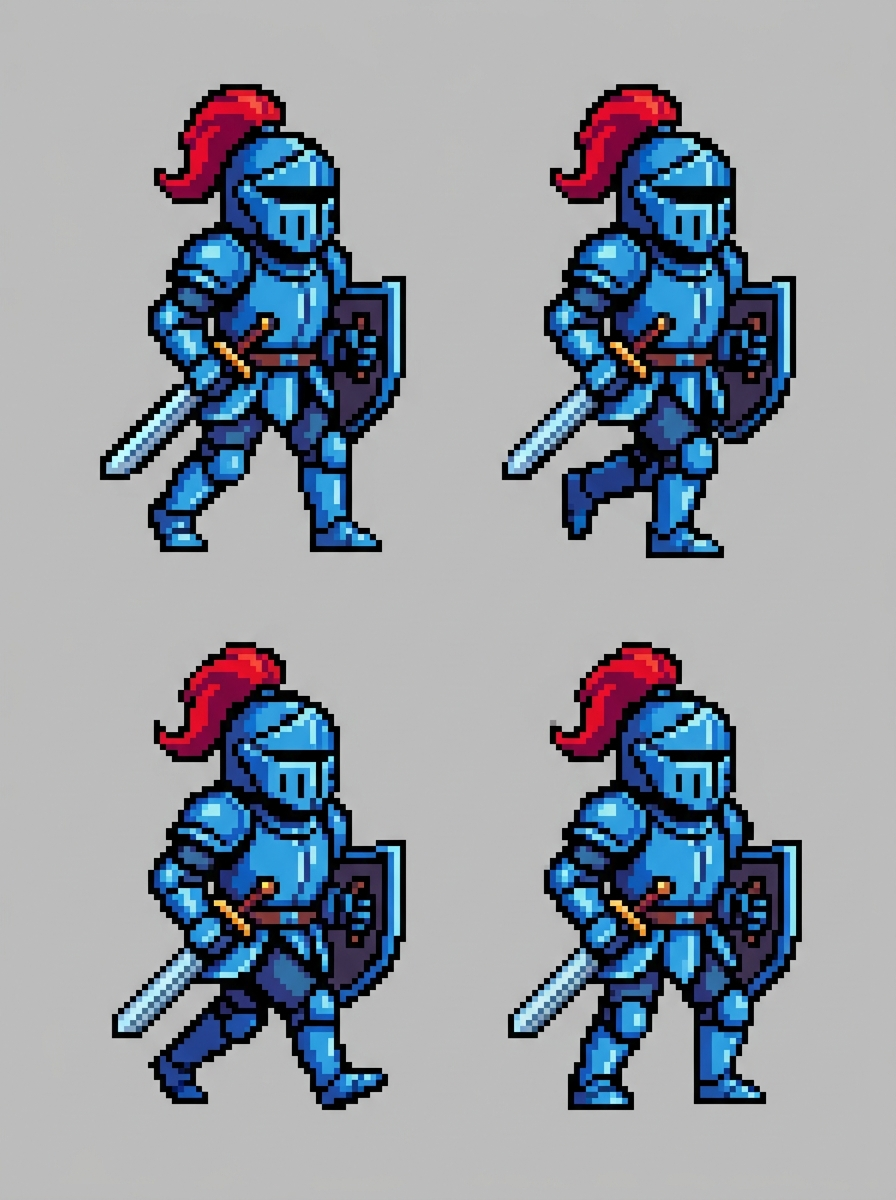
16-bit Knight Walk Cycle
Prompt: pixel art knight in blue steel armor, 16-bit style, walk cycle in 4 frames
AI-generated examples
Generate Your Game Sprite
Type a description of your character, creature, or item — the AI renders game-ready sprite art on a clean background.
Sign in to start generating
How it works
How the AI Sprite Generator Works
Describe Your Sprite
Name the subject, the art style, and the poses you need — for example 'pixel art wizard, idle and casting poses' or 'cute slime enemy in 4 animation frames'.
AI Renders the Art
The model generates clean 2D sprite art with crisp outlines, a readable silhouette, and a plain background — as a single sprite or a uniform sprite sheet grid.
Download & Drop Into Your Game
Save the high-resolution image, cut out the frames, and import them straight into Unity, Godot, GameMaker, or any 2D engine.
Sprites Made With This Generator
Real outputs from the exact prompt template this page uses — from single sprites to multi-frame sprite sheets.
16-bit Knight Walk Cycle
Prompt: pixel art knight in blue steel armor, 16-bit style, walk cycle in 4 frames
Prompt: pixel art knight in blue steel armor, 16-bit style, walk cycle in 4 frames
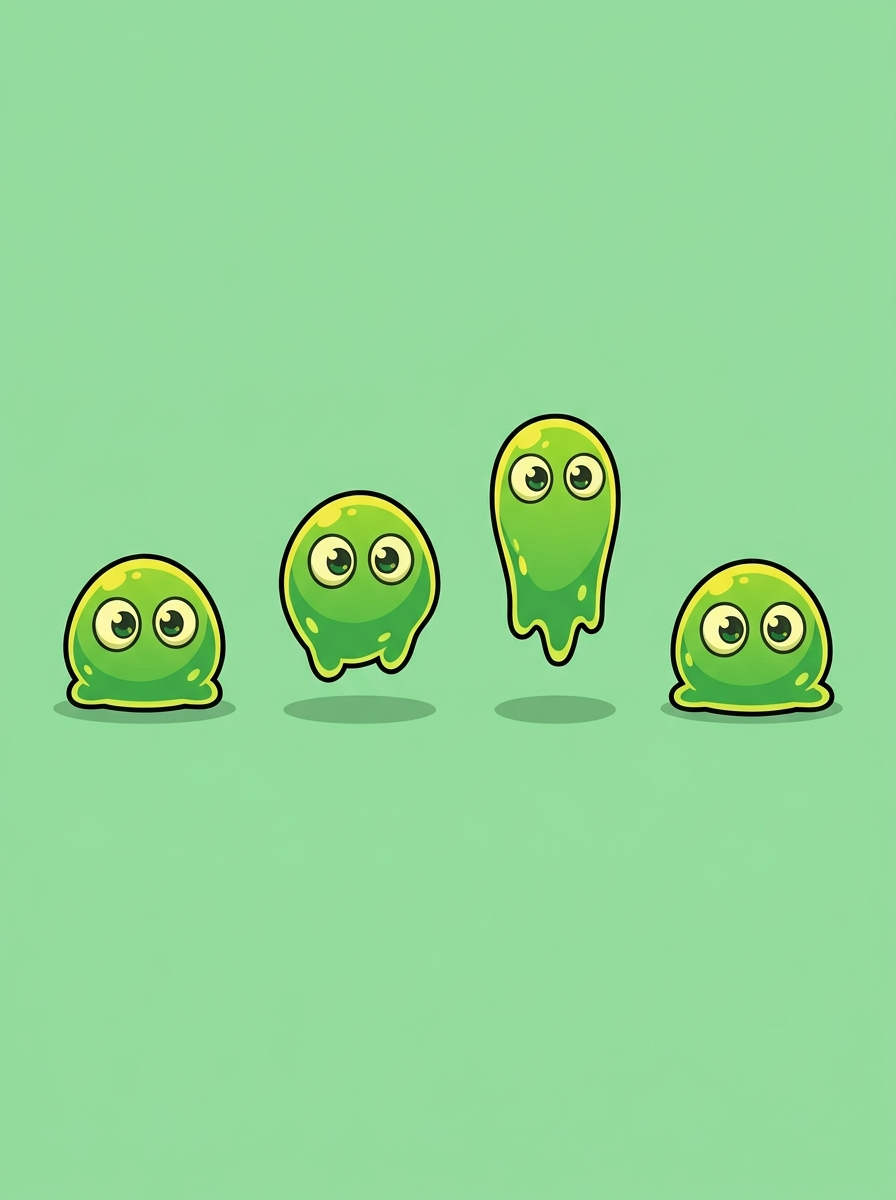
Chibi Slime Enemy Sheet
Prompt: cute green slime monster, chibi style, idle bounce in 4 poses
Prompt: cute green slime monster, chibi style, idle bounce in 4 poses
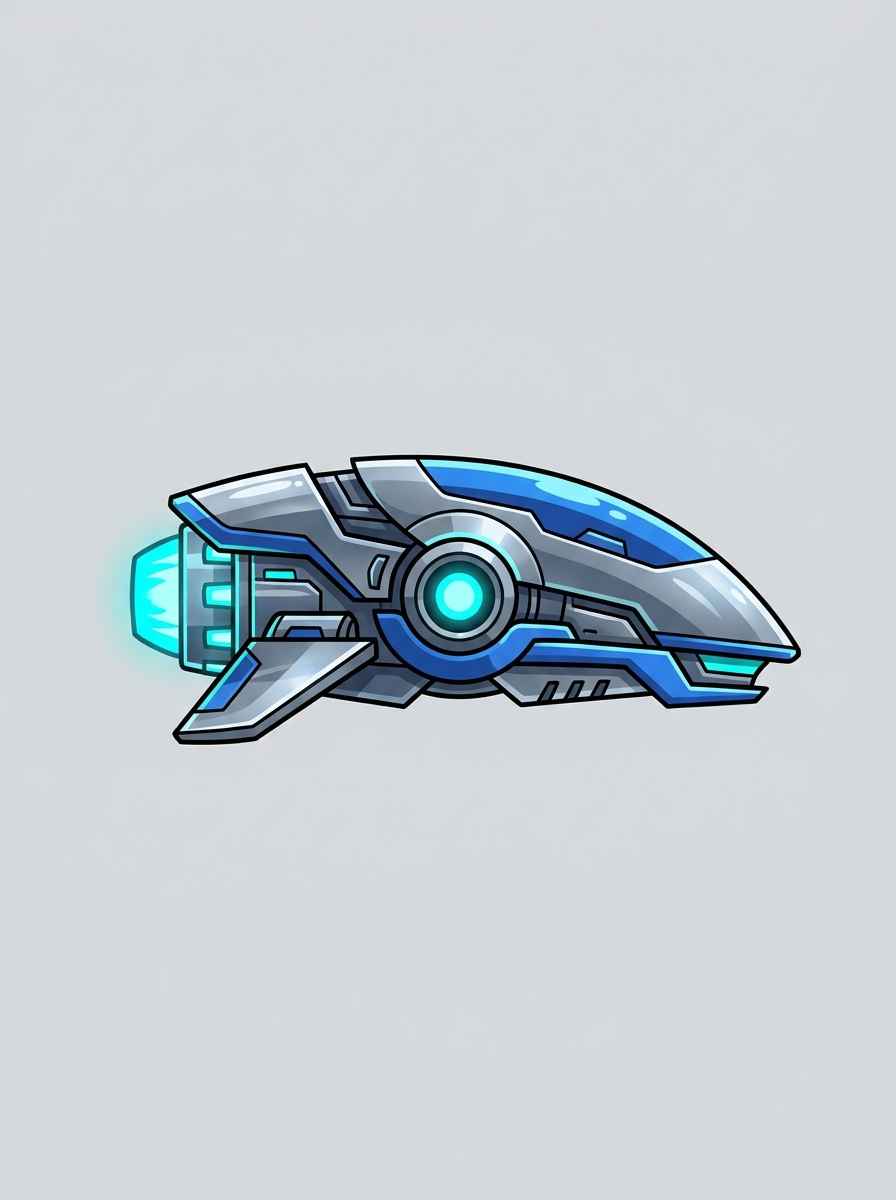
Sci-Fi Hover Drone
Prompt: sci-fi hover drone with glowing thrusters, vector art, side view
Prompt: sci-fi hover drone with glowing thrusters, vector art, side view
Why this tool
Why Use This AI Sprite Generator
Every Game Art Style
Pixel art, chibi, cartoon, hand-painted fantasy, sci-fi vector, retro 8-bit or 16-bit — name the style in your prompt and the AI matches it.
Sprite Sheets on Request
Ask for multiple poses or animation frames and the AI arranges them in a clean, evenly spaced grid — ready to slice in your engine.
Seconds, Not Days
A finished sprite concept in 15-30 seconds. Prototype an entire cast of characters in one sitting instead of waiting on commissions.
Clean Cutout Backgrounds
Sprites are rendered on flat, solid backgrounds with crisp silhouettes, so background removal takes one click in any editor.
Yours to Ship
Every sprite is generated fresh from your description. Use it in your game, your itch.io page, or your Steam capsule — no licensing headaches.
Consistent Characters
Describe the same character with the same details across prompts to build out matching poses, expressions, and equipment variants.
The rundown
AI Sprite Generator: Create Game-Ready 2D Sprites and Sprite Sheets in Seconds
An AI sprite generator turns a plain-language description into finished 2D game art you can drop straight into your project. Instead of sketching, inking, and coloring every frame by hand — or waiting days and paying real money for a commission — you type what you need: 'pixel art knight with sword, idle pose' or 'cute slime enemy in four animation frames.' Twenty seconds later you have clean sprite art with crisp outlines, a readable silhouette, and a flat background that cuts out in one click. Every generation costs a single credit, and every result is original and high resolution. For solo developers, game jam teams, and hobbyists building their first platformer, an AI sprite generator removes the single biggest bottleneck in 2D game development: getting art on screen fast enough to keep momentum.
Under the hood, this AI sprite generator is a text-to-image model that has learned the visual grammar of game assets — not just how characters look, but how sprites specifically need to work. When you submit a prompt, the model interprets your subject, style, and pose requests, then renders artwork that respects the conventions 2D games depend on: strong silhouettes that read at small sizes, consistent proportions across poses, clean edges that survive scaling, and solid backgrounds built for easy cutout. Ask for multiple frames and the sprite sheet generator behavior kicks in, arranging poses in a uniform grid with even spacing so slicing in your engine takes seconds. That purpose-built output is what separates a real game sprite maker from a general image tool that happens to draw characters.
Style coverage is where the AI sprite generator earns its keep across wildly different projects. Ask for pixel art and you get chunky, deliberate pixels in 8-bit or 16-bit flavor, perfect for retro platformers and roguelikes. Chibi prompts return big-headed, expressive characters suited to casual and mobile games. Hand-painted fantasy delivers the soft, layered look of classic RPGs, while sci-fi vector styles produce sleek drones, mechs, and spaceships with sharp geometric edges. Cartoon styles land somewhere playful in between. You can generate heroes, enemies, NPCs, bosses, collectible items, weapons, icons, and environmental props — anything a 2D scene needs. And because a pixel art sprite generator prompt is just words, switching your entire art direction costs nothing but a retype.
Great results come down to prompt structure, and the formula is simple: subject, style, then poses or frames. 'A goblin archer, 16-bit pixel art style, idle and attack poses' will beat 'goblin' every time in any AI sprite generator. Name the view if it matters — 'side view' for platformers, 'top-down' for zeldalikes, 'isometric' for strategy games. Specify frame counts when you want a sheet: 'walk cycle in 4 frames' or 'idle, run, jump, and death poses in a grid.' Keep one character per prompt for the cleanest results, and reuse the exact same character description across prompts when you need matching variants — same armor, same colors, new pose. If the first render is close but not perfect, change one variable and regenerate; at one credit per image, the AI sprite generator makes iteration cheap enough to explore freely.
Different creators lean on a game sprite maker at different stages. Game jam teams use it to skip the art bottleneck entirely and ship a playable, good-looking entry in 48 hours. Solo programmers who 'can't draw' use the AI sprite generator to replace placeholder rectangles with real characters, which transforms both motivation and playtester feedback. Professional teams use it for rapid prototyping — testing whether a character concept reads well in motion before committing an artist's week to it. Educators and students use it to keep classroom projects moving. Even working pixel artists use an AI sprite generator to explore silhouettes and palettes quickly, then redraw the winning direction in their own hand.
Compare the AI sprite generator workflow to the alternatives. Free sprite packs from asset stores are used in thousands of other games, so your project instantly looks like a template. Commissioning custom art is wonderful but slow and expensive — a single animated character can cost more than your entire jam budget and take weeks to deliver. Drawing everything yourself means learning a second craft on top of programming, design, and sound. A 2D game sprite AI flips the economics: original art, matched to your exact description, in seconds, for a single credit. It doesn't replace a great artist on a funded production — it replaces the placeholder phase, the derivative asset-pack phase, and the 'my game looks embarrassing' phase that kills so many projects early.
Getting from the AI sprite generator's output to a working game asset takes about a minute. Download the high-resolution file, remove the flat background with any editor's one-click tool, and import the result into Unity, Godot, GameMaker, Construct, or whatever engine you use. For sprite sheets, the even grid spacing means your engine's built-in slicer can cut frames automatically — set the cell size once and every frame lands cleanly. Keep a small text file with the exact prompt wording you used for each character; when you need a new pose next week, rerunning the same description with a new pose request keeps the character visually consistent. Teams who treat prompts as reusable character recipes get the most out of any AI spritesheet generator.
Starting is deliberately simple. Create a free account, claim your free credits, and type your first description — no drawing skill, no design software, no tutorials required. Each sprite costs one credit and arrives in about twenty seconds, so your first session can produce a hero, three enemies, and a boss before you've spent anything at all. Generate, compare, refine, and download the winners. Your game idea deserves better than gray placeholder boxes or the same free asset pack everyone else shipped. Open the AI sprite generator, describe the character you've been imagining, and watch it appear on screen — game-ready, original, and yours.
AI Sprite Generator FAQ
Use the formula: subject + art style + poses or frames. For example, 'a goblin archer, 16-bit pixel art, idle and attack poses' works far better than just 'goblin'. Add the camera view if it matters — side view for platformers, top-down for RPGs. Keep one character per prompt for the cleanest, most consistent results.
Yes. Ask for multiple poses or frames — like 'walk cycle in 4 frames' or 'idle, run, and jump poses' — and the AI arranges them in a uniform grid with even spacing. You can then slice the sheet automatically in Unity, Godot, GameMaker, or any engine with a built-in sprite slicer.
Absolutely — pixel art is one of the most popular uses. Specify the flavor you want: '8-bit', '16-bit', 'retro NES style', or 'modern high-res pixel art'. The AI renders chunky, deliberate pixels with limited palettes that match the classic look. It also handles chibi, cartoon, hand-painted fantasy, and sci-fi vector styles.
Yes. Every sprite is generated fresh from your unique description — nothing is copied from existing games or asset packs. Your generated sprites belong to you, and you can use them in commercial projects, game jams, itch.io releases, or Steam games without licensing restrictions.
Reuse the exact same character description every time and only change the pose request. For example, keep 'a knight in blue steel armor with a red plume' identical across prompts, then vary 'idle pose', 'attack pose', or 'death animation'. Saving your prompts as reusable character recipes is the key habit.
Images generate at high resolution (1024px+), which gives you plenty of pixels to scale down cleanly for in-game use. Sprites are rendered on flat, solid backgrounds with crisp silhouettes, so any editor's one-click background removal — or your engine's chroma key — cuts them out instantly.
Each generation costs 1 credit, whether it's a single sprite or a multi-frame sheet. New users receive free credits on sign-up, so you can build out several characters before deciding on a plan. Credits also work across all other VO3 AI tools, including image and video generation.
All of them — the output is a standard high-resolution image. Import into Unity, Godot, GameMaker, Construct, Defold, Phaser, or Pygame like any other texture. For sprite sheets, the uniform grid spacing means built-in slicers can cut frames automatically once you set the cell size.