
AI Plushie Generator
Upload a photo and our AI plushie generator turns you, your pet, or a friend into an adorable custom plush toy in about a minute.
AI Plushie Generator
Drag & drop or click to upload
Supports PNG, JPG, WEBP • Max 20MB
Sign in to start generating
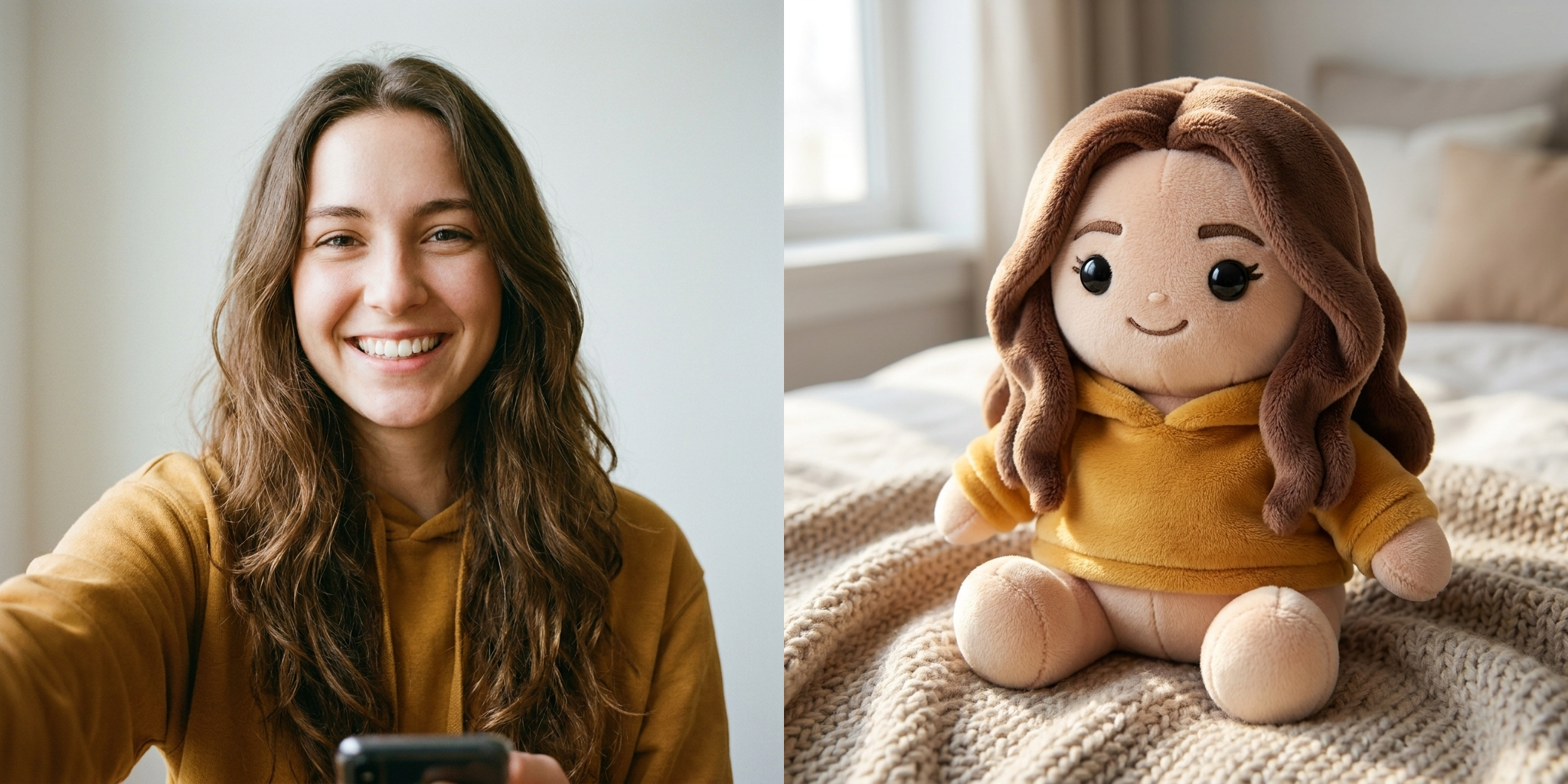
Selfie → Plushie
A front-facing selfie becomes a soft plush with the same hair and hoodie.
AI-generated examples
1. Upload a Photo
Pick a clear photo of a person, pet, or character where the face and outfit are easy to see — a selfie, portrait, or pet snapshot all work great.
2. AI Sews Your Plushie
The AI reads the hairstyle, colors, clothing and signature features, then rebuilds the subject as a soft, fuzzy stuffed toy while keeping them instantly recognizable.
3. Download & Share
Your custom plushie is ready in about a minute — save it in high resolution and share it as a gift idea, avatar, sticker, or cute surprise.
Real Plushies Made From Real Photos
Every plushie below was generated from a single uploaded photo — people and pets, turned into soft toys that still look like the original.
Selfie → Plushie
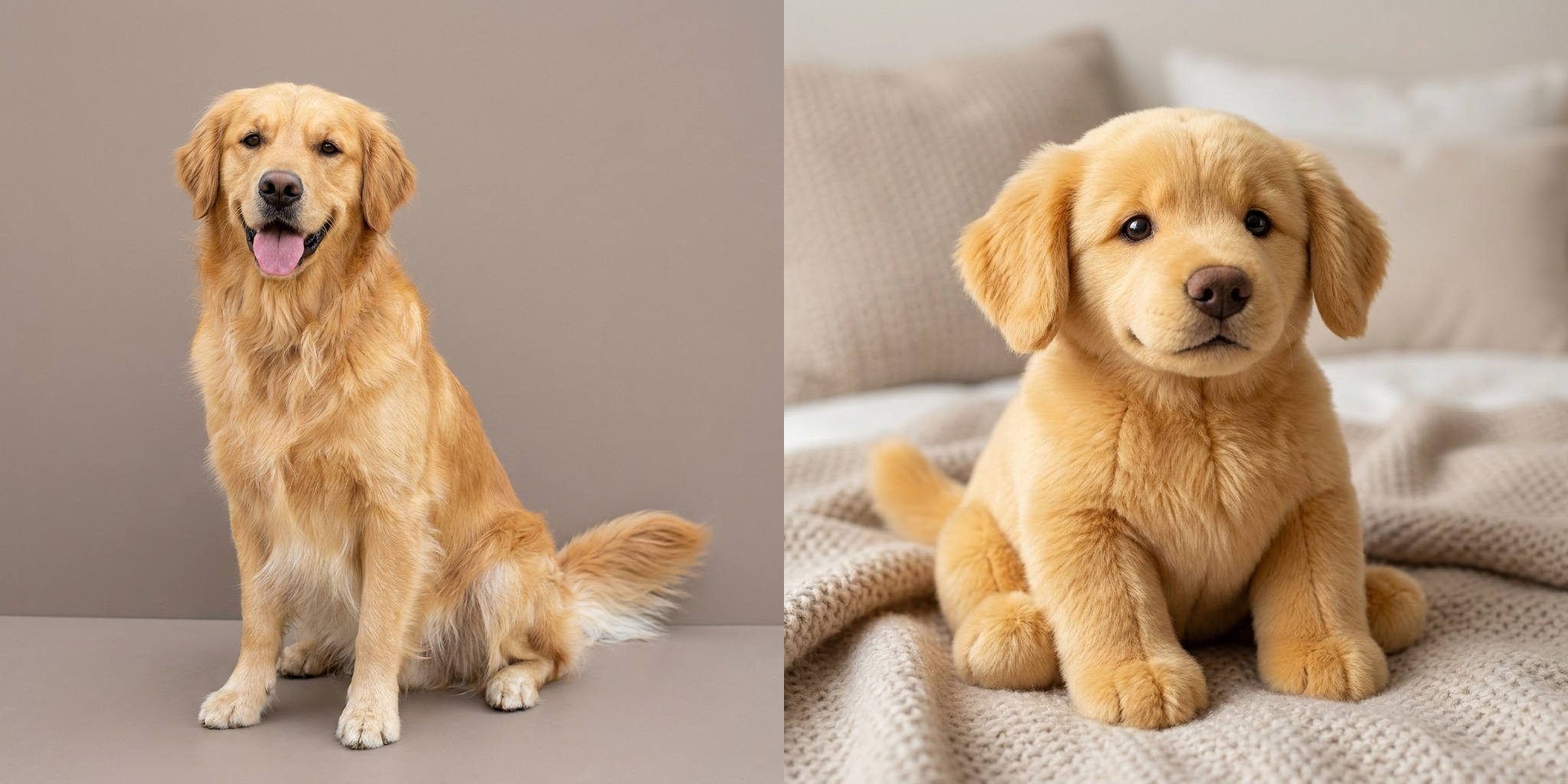
Pet → Plushie
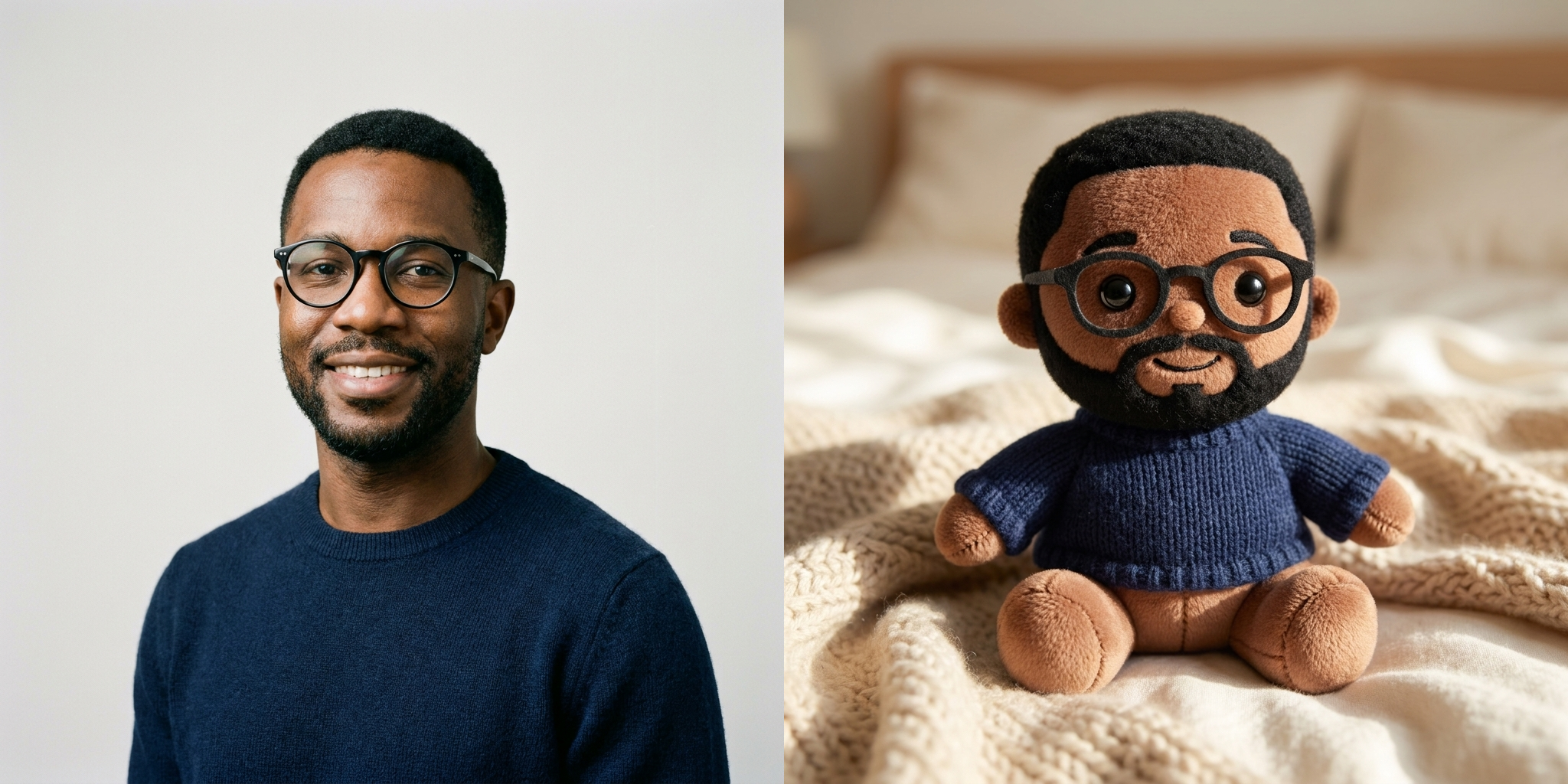
Portrait → Plushie
Cute and Huggable, Every Time
The AI plushie generator renders soft fabric, stitched seams and button eyes so your result looks like a real handmade plush toy you could squeeze — warm, round and collectible.
Keeps You Recognizable
It preserves your hairstyle, colors, glasses and signature outfit, so the plushie still looks unmistakably like you, your pet, or your friend — not a generic stuffed animal.
Works on People, Pets and Characters
Turn a selfie, a couple photo, a dog or cat, or a cosplay shot into a plush version. If the face is visible, the AI can plushify it.
Ready in About a Minute
No sewing, no ordering, no waiting weeks for a custom toy. Upload a photo and the plushie generator returns a finished image in roughly sixty seconds.
High-Resolution Output
Download a crisp, high-resolution plushie image that looks great as a phone wallpaper, profile picture, printed sticker, or a mockup for a real custom plush.
Private and Yours to Keep
Your uploaded photo is used only to create your plushie. The finished image is yours to download, share, or use however you like.
AI Plushie Generator: Turn Any Photo into a Cute, Huggable Plush Toy
Everyone loves the idea of having a plush version of themselves, their pet, or their favorite person — but real custom stuffed toys are expensive and slow to make. The AI plushie generator solves that instantly. Upload a single photo and, in about a minute, it transforms the subject into an adorable soft toy: fuzzy fabric, stitched seams, embroidered features and little button eyes, all while keeping the original recognizable. Instead of sketching a design or waiting weeks for a maker, you simply drop in a picture and watch it become a squishy, collectible plushie. It's the fastest, most playful way to see yourself or a loved one reimagined as a stuffed animal without ever picking up a needle and thread.
Under the hood, the AI plushie generator reads your photo the way a toy designer would. It studies the shape of the face, the hairstyle and hair color, the outfit, the colors, and any signature details like glasses, freckles, or a pet's markings. Then it rebuilds all of that in plush-toy language — rounding the body into a soft, chibi-like form, shrinking the limbs into stubby stuffed arms and legs, and swapping realistic skin and hair for felt, fleece and fuzz. Seams appear where a real toy would be sewn, eyes turn to glossy plastic buttons, and highlights land on the fabric exactly where soft studio light would catch a plush surface. The result is a stuffed animal that still reads unmistakably as the person or pet in your original picture.
Identity preservation is what separates a good plushie tool from a generic one. A plush toy that doesn't look like you isn't much of a keepsake. That's why this ai plushie generator is tuned to hold on to the traits that make a subject recognizable: the exact hair color and style, the skin tone, the glasses, and the signature clothing colors are all carried over into the plush version. It resists the temptation to smooth everyone into the same round teddy bear. Instead, the AI plushie generator keeps the details that matter — a specific fringe, a beard, a team jersey, a cat's white socks — so you get a toy that friends can identify at a glance, not a random plush that merely shares a shirt color.
The tool is wonderfully flexible about what you can plushify. Selfies become soft mini-you toys. Couple and family photos turn into a matching set of huggable plushies. Dogs, cats and rabbits become fuzzy stuffed pets that keep their real fur patterns and ear shapes. Cosplayers and character photos become plush collectibles you could imagine on a shelf. Whatever you upload, the plush toy generator applies the same cozy, handcrafted aesthetic — soft studio lighting, a gentle background, and that squeezable, straight-off-the-shelf look that makes a great plushie so appealing. Because it works from a plain photo, there's no learning curve: if you can take a picture, you can make a plushie.
Getting the best result comes down to your source photo. Choose a bright, in-focus image where the subject is large in the frame and the face is clearly visible. Front-facing or slight three-quarter angles work best, because they give the AI the most detail to translate into plush form. Avoid heavy shadows, extreme filters, sunglasses that hide the eyes, and very low-resolution images. A clean, well-lit photo lets the ai plushie generator capture the little details — the smile, the hairstyle, the favorite hoodie — that make the finished plushie feel personal. If the first result isn't quite right, try a sharper or more front-facing photo and run the AI plushie generator again; small changes to the input often make a big difference.
People reach for the AI plushie generator for all kinds of reasons. It makes a thoughtful, funny gift — send someone a plush version of themselves on their birthday or anniversary. It's a charming way to memorialize a pet or celebrate a new one. Creators use it to design cute merch concepts and avatars; couples make matching plushie stickers; parents turn a child's photo into a soft-toy mockup; streamers build adorable channel mascots. Because the output is a high-resolution image, you can use your plushie as a profile picture, phone wallpaper, printed sticker, greeting card, or a reference for commissioning a real custom plush.
Compared to the traditional route, the difference is night and day. Commissioning a physical custom plush can mean weeks of waiting, back-and-forth with a maker, and a real bill — all before you know whether the design even looks right. The plushie maker flips that around: you see the concept first, instantly and for a single credit. Many people use the AI image as a mockup to decide colors and proportions, then commission the physical toy with confidence. Others are perfectly happy with the digital plushie alone, sharing it online where its cuteness does all the work. Either way, the AI plushie generator removes the guesswork and the upfront cost that usually stand between an idea and an actual plush.
Ready to try it? Upload your favorite photo, let the ai plushie generator work for about a minute, and download your custom plush toy in high resolution. Make one of yourself, one of your dog, and one of your best friend — then share the set and watch the reactions roll in. There's nothing to install and no design skills required, so the whole thing takes less time than finding the photo in the first place. Whether you want a keepsake, a gift, a cute avatar, or a design mockup, the AI plushie generator turns an ordinary photo into a soft, huggable plushie that looks just like the real thing, no sewing required.
AI Plushie Generator — Frequently Asked Questions
It redraws the subject of your photo as a soft plush toy — a stuffed-animal version with fuzzy fabric, stitched seams, embroidered features and little button eyes. Whether you upload a selfie, a pet, or a character, the AI plushie generator keeps the key details like hairstyle, colors and outfit so the plushie still looks clearly like the original, just cute, round and huggable.
Yes. The tool is built to preserve identity: it keeps your hair color and style, skin tone, glasses, and signature clothing colors, then translates them into plush-toy form. You end up with a stuffed version that friends will instantly recognize as you, rather than a random generic toy. Clear, well-lit, front-facing photos give the strongest resemblance.
Absolutely. Pets are one of the most popular uses. Upload a clear photo of your dog, cat, rabbit or other pet and the AI plushie generator rebuilds them as a soft toy, keeping their fur color, markings and ear shape. It's a lovely way to celebrate a pet or create a keepsake image.
Use a bright, in-focus photo where the subject fills a good part of the frame and the face is clearly visible. Front-facing or three-quarter angles work best. Avoid heavy shadows, strong filters, sunglasses that hide the eyes, or very low-resolution images, since those make it harder for the AI to read the details it needs.
You can create a plushie for a single credit, and new accounts start with free credits so you can try it right away. There's no need to install an app, learn design software, or order a physical toy — just upload a photo in your browser and generate.
The finished image is yours to download and use — as a profile picture, sticker, gift card, or a visual reference for ordering a real custom plush. If you plan to sell products based on it, make sure you have the rights to the original photo and any characters it depicts.
Yes. If your photo includes more than one person, the AI plushie generator will try to plushify everyone in frame as a matching set of stuffed toys. For the cleanest result, pick a photo where both faces are clear and not overlapping too much, so each plushie keeps its own recognizable details.
A real custom plush can take weeks and cost a lot. The AI plushie generator gives you the look instantly and digitally — perfect for gauging a design, surprising someone online, or making a cute avatar. Many people use the AI image first as a mockup, then decide whether to commission a physical version.
Still have questions? Contact Support