
AI Photo Retouch
Upload a portrait and get magazine-quality retouching in one click — natural skin smoothing, blemish removal, and better lighting, without changing who you are.
Upload & Retouch
Drag & drop or click to upload
Supports PNG, JPG, WEBP • Max 20MB
Sign in to start generating
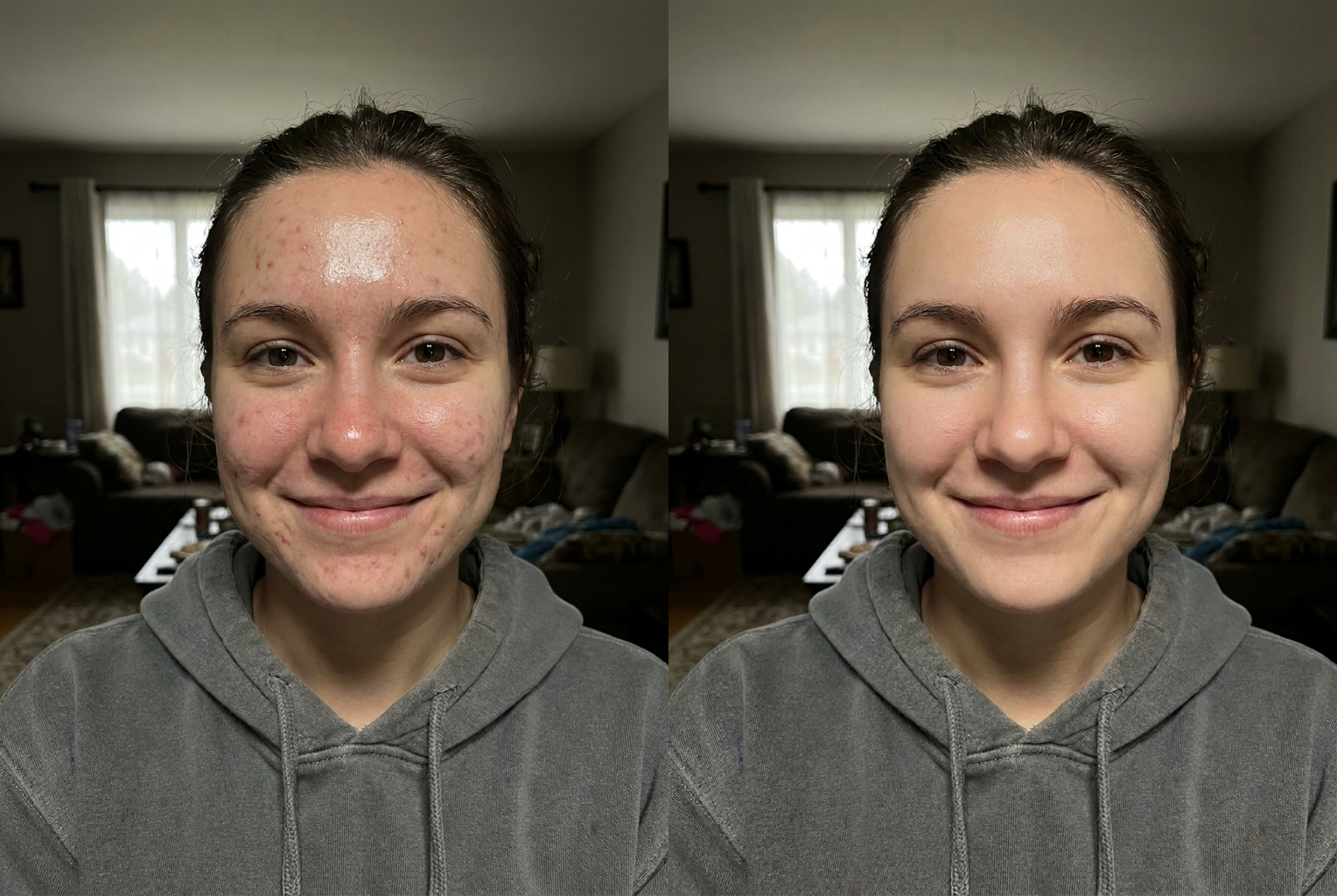
Portrait Retouch
Before → After: blemish removal + skin smoothing
AI-generated examples
Professional Retouching in One Click
No sliders, no layers, no Photoshop skills. The AI analyzes your portrait and applies the same subtle corrections a professional retoucher would — automatically.
1. Upload Your Portrait
Upload any portrait photo — selfies, headshots, or group photos. PNG, JPG, and WEBP supported up to 20MB. Well-lit photos produce the most natural results.
2. AI Retouches Automatically
The AI smooths skin while preserving natural texture, removes temporary blemishes, evens skin tone, brightens eyes, and balances lighting — all while keeping your identity and expression exactly as they are.
3. Download the Result
Get your retouched photo in seconds at high resolution. Perfect for LinkedIn profiles, dating apps, social media, or professional headshots.
Before & After — Real AI Photo Retouch Results
Each example shows the original photo on the left and the AI retouched photo on the right. Natural skin smoothing, blemish removal, and lighting correction — identity fully preserved.
Portrait Retouch
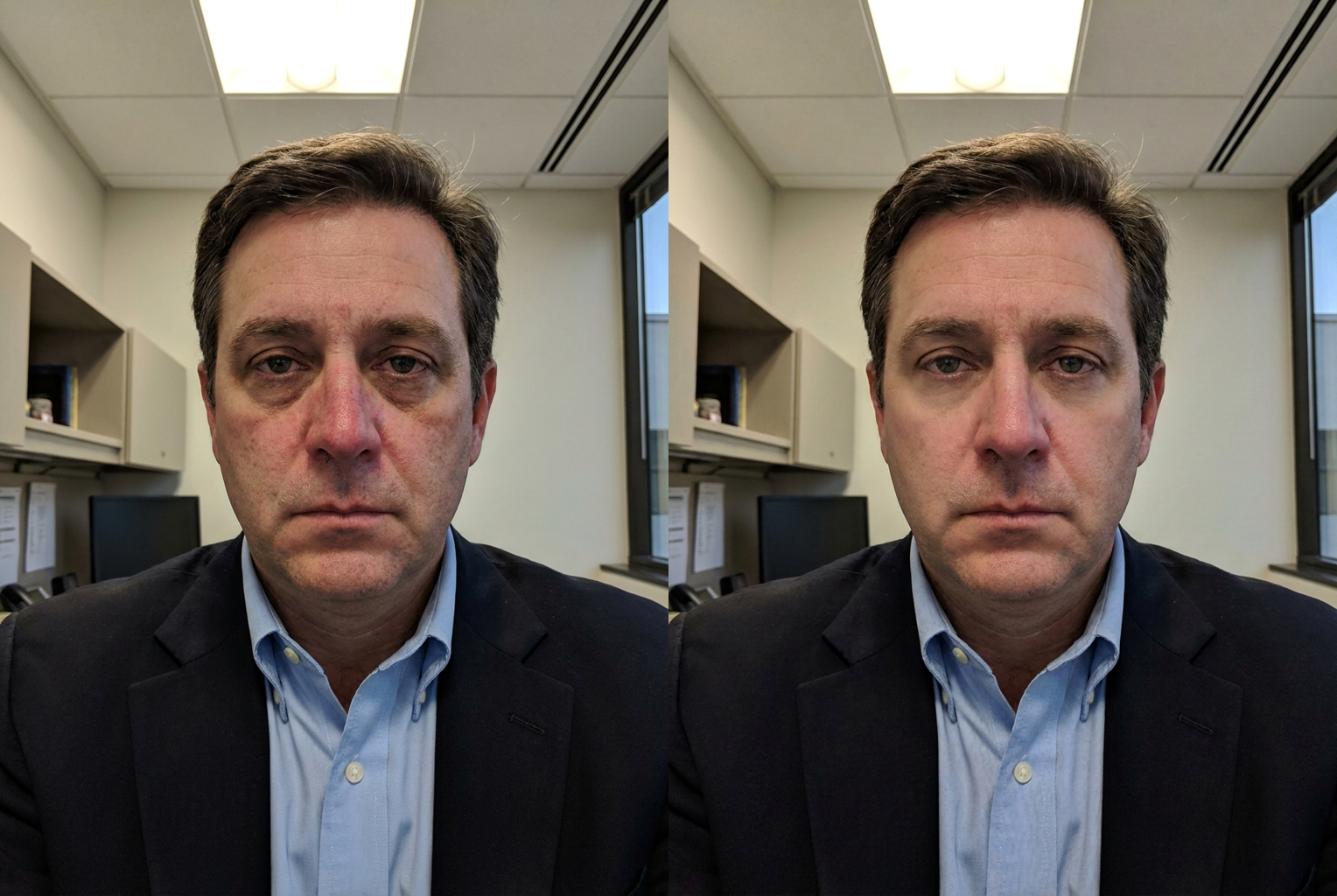
Headshot Retouch
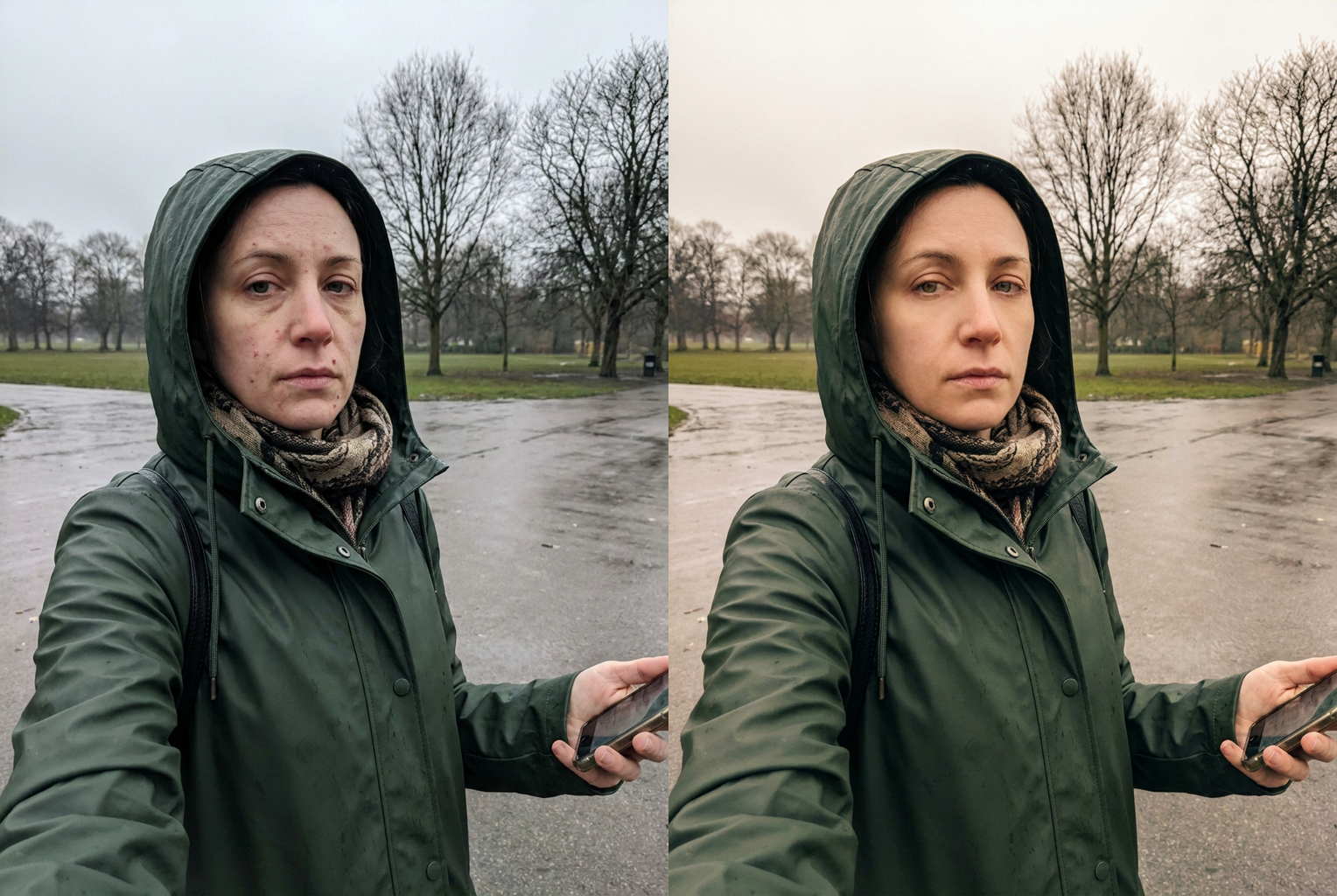
Selfie Retouch
Why Our AI Beauty Retouch Stands Out
Trained to retouch like a professional — enhance, never transform.
You Still Look Like You
The AI is instructed to preserve your facial structure, features, and expression. It removes what's temporary — blemishes, shine, uneven lighting — and keeps what's you.
Natural Skin Texture
Unlike aggressive beauty filters that create plastic-looking skin, the AI maintains realistic pores and texture while smoothing — the standard of high-end magazine retouching.
One Click, 15 Seconds
No manual editing skills required. Upload, click, done. What takes a professional retoucher 30 minutes happens automatically in seconds.
Works on Any Portrait
Selfies, professional headshots, full-body shots, group photos — the AI adapts its retouching to the photo type and lighting conditions.
High Resolution Output
Retouched photos are delivered at high resolution with no watermarks — ready for professional profiles, printing, or social media.
Privacy Respected
Photos are processed securely and never used for training or shared with third parties. Your photos remain yours.
AI Photo Retouch: One-Click Professional Retouching That Still Looks Like You
You know the photo. The light was good, the smile was genuine, the angle worked — and then you zoom in and spot the blemish that showed up that morning, the shine on your forehead, the shadows under your eyes from a short night. It is almost the picture you wanted, which somehow feels worse than a bad one. Until recently, fixing those small flaws meant learning an editing suite or paying a professional and waiting days. An AI photo retouch changes that math completely. Upload your portrait, click once, and in about fifteen seconds you get back a high-resolution version with clear skin, balanced lighting, and an even tone — still unmistakably you. No sliders, no layers, no watermark. Just the photo you thought you had taken, finally looking the way you remember the moment.
Professional photo retouching has never been about changing a face; it is about restraint. Ask any seasoned retoucher what separates good work from bad and they will tell you the same thing: remove what is temporary, keep what is permanent. A pimple is temporary. Your freckles, your smile lines, the shape of your nose — those are you, and they stay. The goal is a portrait that looks like you on your best-rested, clearest-skinned day, not like a different person wearing your clothes. That philosophy is exactly what our AI photo retouch model was built around. It edits the way a careful professional would: quietly, conservatively, and invisibly. When the result is right, nobody says nice edit. They say you look great, and they cannot quite put their finger on why.
Beauty filters earned their bad reputation honestly. Most apply a uniform blur across the entire face, smearing pores, hair strands, and skin texture into the same plastic sheen. The result reads as fake instantly, because real skin is never uniform. AI photo retouching works on a different principle: reconstruction rather than blur. The model behind this AI photo editor analyzes your portrait region by region, distinguishing skin from eyes, lips, and hair, and separating temporary imperfections from permanent features. It then rebuilds the affected areas with realistic texture — pores intact, fine detail preserved — instead of painting over them. Where a filter subtracts information, reconstruction adds it back. That is why an AI photo retouch of this kind survives a close look: zoom in at full size and you still see real skin, just clearer.
The deepest fear people have about automated editing is coming out the other side looking like someone else. It is a fair fear — plenty of tools slim jaws, enlarge eyes, and reshape noses without asking. Our AI photo retouch tool is explicitly constrained against that. Facial geometry is treated as untouchable: the distance between your eyes, the line of your jaw, the shape of your mouth, and your expression all stay exactly where they were. The AI works only on surface-level, temporary conditions — the blemish, the shine, the shadow. Your family will not do a double take, and neither will the recruiter who meets you in person after seeing your headshot. That last point matters. A portrait that oversells you creates an awkward gap at the handshake; one that shows you at your genuine best builds trust instead.
The obvious use case is the LinkedIn headshot, and it is a good one — a clean, credible portrait changes how a profile is received before a single word gets read. But a one-click AI photo retouch goes much further than corporate headshots. Teams use it to bring consistency to company pages shot on different days in wildly different lighting. Dating profiles benefit enormously, because the winning strategy is looking like your real self on the best day you actually have — you will eventually meet the person. Family and event photos get rescued too: the wedding shot where one guest had a breakout, the graduation photo taken under harsh gymnasium lights. And creators run thumbnails and profile pictures through a quick beauty retouch pass, because faces drive clicks and a polished face outperforms a tired one.
So what does an AI photo retouch actually fix? Blemishes and acne are removed cleanly, with the underlying skin rebuilt rather than smudged. Oily shine on the forehead, nose, and chin is toned down to a natural matte finish. Dark circles are reduced — softened so you look rested, not erased into doll-like flatness. Uneven skin tone, whether from redness, sun exposure, or mixed indoor lighting, is balanced across the whole face. Dull or flat lighting gets a gentle lift, restoring the dimension a good photographer would have captured in the first place. Every correction is applied at natural intensity by default. The point is a photograph that looks untouched — where everything that was wrong is simply, quietly no longer there, and everything that was right is left alone.
Consider the alternatives to a one-click AI photo retouch. Hiring a professional retoucher costs real money per image and involves days of back-and-forth, which makes sense for a wedding album and very little sense for a profile picture. Learning to do it yourself in a desktop editor takes months before your results stop looking worse than the originals — frequency separation and dodge-and-burn are genuine crafts. When you retouch photos online with VO3 instead, the entire job costs one credit and finishes in roughly fifteen seconds. There is no software to install, no subscription to a bloated suite, and no watermark stamped across your output. You get a high-resolution file ready to upload anywhere. For anyone who needs a handful of great portraits rather than a career in editing, AI photo retouching is simply the sane option.
Getting started takes less time than reading this paragraph. Create a free VO3 account and you receive free credits on signup — enough to try the tool on your own portraits before spending anything. Pick a photo where your face is reasonably clear, run the AI photo retouch, and compare the result side by side with your original at full zoom. That comparison is the whole argument: check the skin texture, check that your expression is untouched, check that you still look like you. Then update the profile picture you have been putting off for months, refresh the team page, or rescue the almost-perfect shot from last weekend. The best AI photo retouch is the one nobody can detect — and the fastest way to believe that is to run your own photo through it right now.
AI Photo Retouch — Frequently Asked Questions
No. The AI is specifically instructed to preserve your facial structure, features, and expression. It only removes temporary imperfections — blemishes, shine, uneven skin tone, harsh lighting. Think of it as 'you on your best day', not a different face.
Clear portraits with the face visible work best — selfies, headshots, and half-body shots. Good lighting helps the AI distinguish skin from shadow. Group photos work too; the AI retouches all visible faces. Very low-resolution or heavily blurred photos may produce less precise results.
Filters apply a uniform effect in real time — usually heavy smoothing that erases skin texture and makes everyone look similar. This AI performs actual retouching: it analyzes your specific photo and applies targeted corrections while reconstructing natural skin texture, the way a professional editor works.
Yes, as long as you have permission to edit their photos. The tool is popular for retouching family photos, event photos, and team headshots. Please respect others' privacy and image rights.
Each retouch costs 1 credit. New users get free credits on sign-up to try the tool. Credits are shared across all VO3 AI tools, including video generation and other image tools.
No. Photos are processed securely for your retouching request only. We do not use your photos for model training and do not share them with third parties.
Retouched photos are output at high resolution (1024px+) in PNG format without watermarks — suitable for professional profiles, social media, and standard-size printing.
Still have questions? Contact Support