
AI Old Age Filter
Upload a photo and the AI old age filter shows how you'll look decades from now — realistic wrinkles, gray hair, and softer features, while still clearly you.
AI Old Age Filter
Upload one photo and meet your future self in about 15 seconds.
Drag & drop or click to upload
Supports PNG, JPG, WEBP • Max 20MB
Sign in to start generating
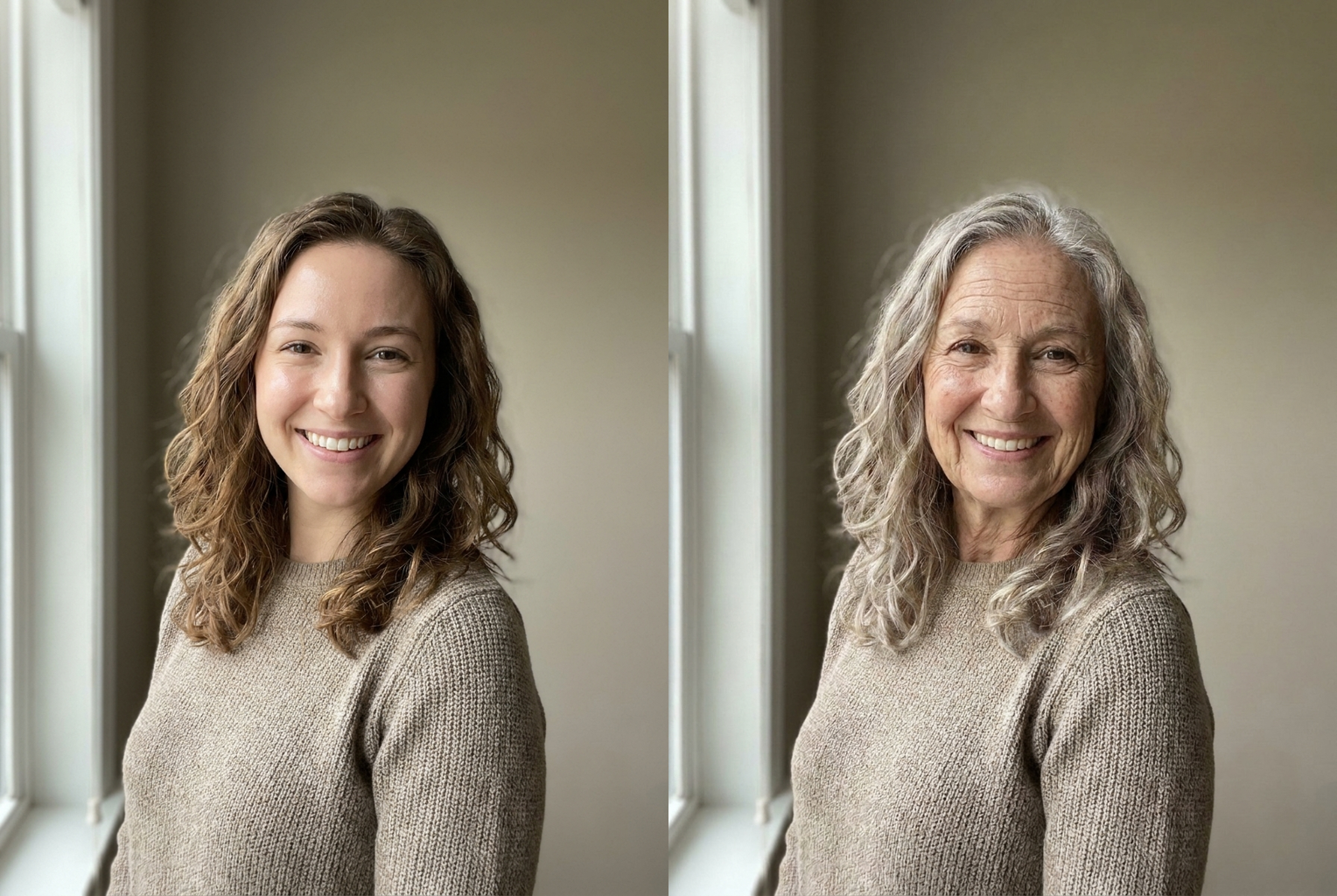
Young Woman → 80
Before → After: decades of realistic aging, same face
AI-generated examples
How the AI Old Age Filter Works
1. Upload Your Photo
Pick a clear photo where your face is well lit and facing the camera. Selfies and headshots work best. No app or sign-up hoops — just drop the image in.
2. AI Ages Your Face
The AI adds decades of realistic aging — wrinkles, sagging skin, age spots, and gray hair — while locking your bone structure and features so the older face is still unmistakably you.
3. Meet Your Future Self
In about 15 seconds you get a high-resolution aged portrait to download, save, and share. Run it again on friends and family to compare.
See the AI Old Age Filter in Action
Real before-and-after results — the same person, aged decades in one click while staying clearly recognizable.
Young Woman → 80
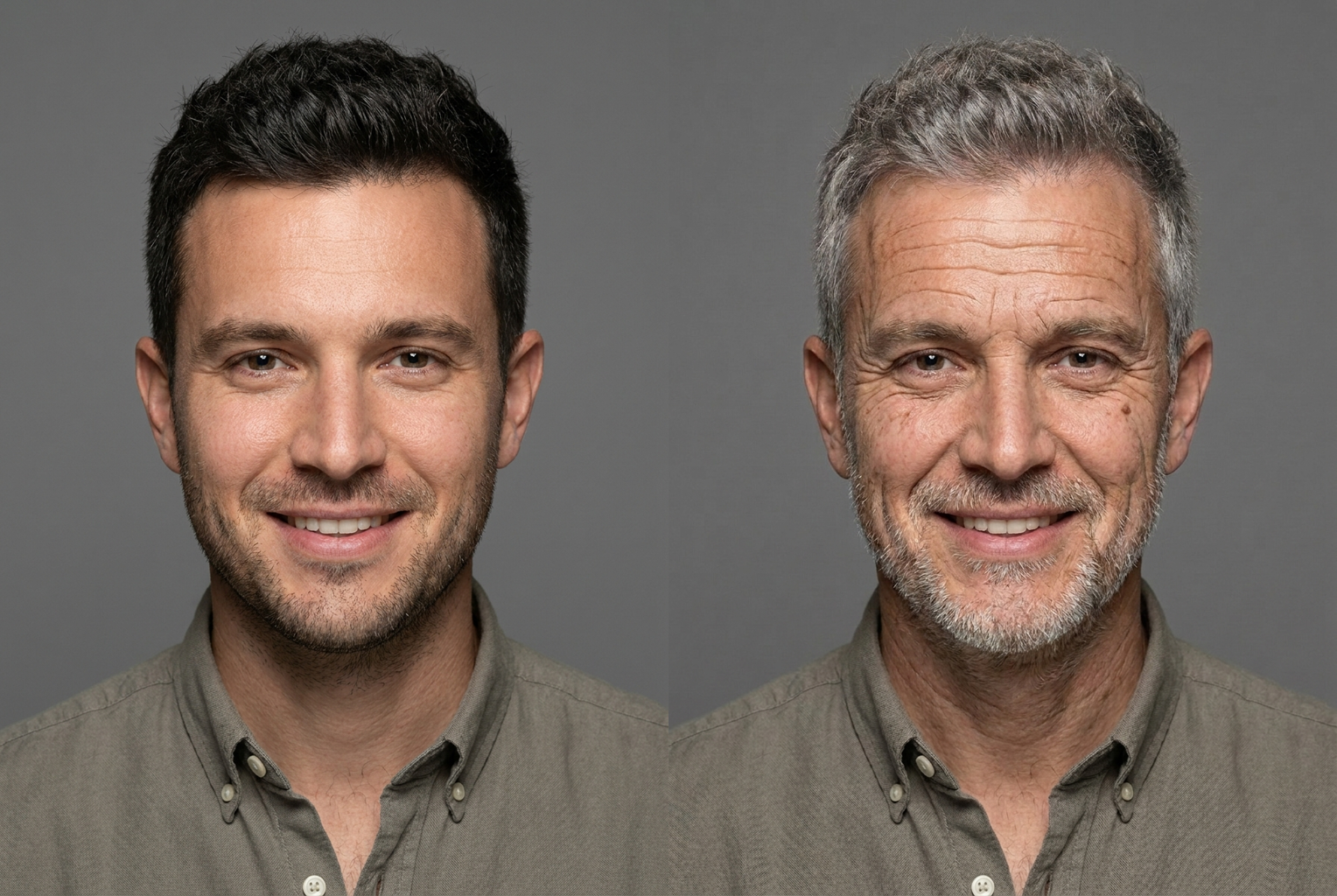
Young Man → 80
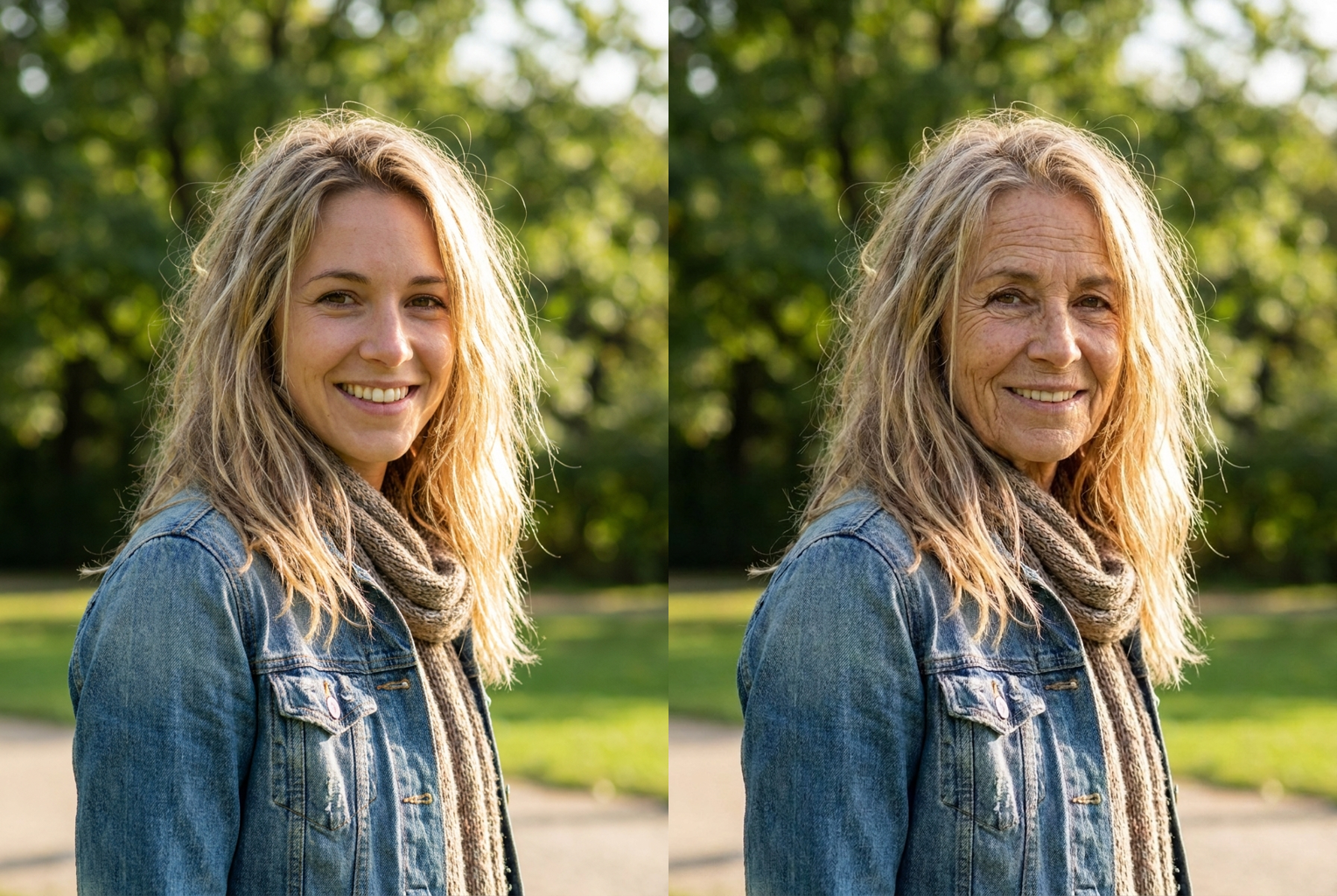
Outdoor Portrait → 80
Why This Old Age Filter Looks Real
Photorealistic Aging
Instead of a flat wrinkle overlay, the AI rebuilds skin with real texture — deep expression lines, softer jawline, and thinning gray hair that reads as a genuine 80-year-old, not a cartoon.
Still Unmistakably You
Your bone structure, eye color, and core features are held fixed. The result is you decades older — recognizable to anyone who knows you, not a random elderly stranger.
One Click, 15 Seconds
No sliders, no manual editing, no learning curve. Upload a photo, hit the button, and the aging happens automatically in seconds.
Works on Any Portrait
Selfies, headshots, couple photos, even old family pictures — the filter adapts its aging to the face, lighting, and angle it's given.
High-Resolution Output
Aged portraits are delivered at high resolution with no watermark, ready to share on social media or save alongside your original for a side-by-side.
Private by Default
Photos are processed only for your request. We never use your images for training or share them with third parties — your face stays yours.
AI Old Age Filter: See How You'll Look at 80 in One Click
Everyone wonders about it at some point. What will I look like when I'm old? Will I keep my hair, get my mother's smile lines, wear my age well? For most of history the only answer was to wait fifty years and find out. An ai old age filter collapses that wait into about fifteen seconds. You upload a single clear photo, the AI ages your face by several decades, and it hands back a photorealistic portrait of your future self — deep wrinkles, gray hair, softer features and all. It is equal parts party trick and quiet moment of reflection. The best version of an ai old age filter does not just slap wrinkles on a photo; it studies your specific face and shows you a believable version of the person you are slowly becoming.
Under the hood, this ai old age filter works by reconstruction rather than overlay. Cheap aging effects take a generic texture of creases and age spots and paste it flat across every face, which is why they all look the same and none of them look real. The model behind this old age filter instead analyzes your portrait region by region — forehead, eyes, cheeks, jaw, hairline — and predicts how each area changes with age for your particular bone structure. It then rebuilds those areas with genuine texture: expression lines where you actually crease when you smile, sagging that follows your real jawline, thinning hair that recedes the way it plausibly would. The result survives a close look because the aging is generated for your face, not stamped on top of it.
The transformation an ai old age filter produces is comprehensive, which is what makes it convincing. Skin gains fine lines and deeper folds around the eyes and mouth, then loosens and softens along the cheeks and neck. Age spots and subtle discoloration appear where sun and time would leave them. Hair thins and shifts to gray or white, and the hairline may recede. The overall facial contour softens as underlying tissue changes. Crucially, a good aging filter applies all of this while holding your identity fixed — your eye color, the spacing of your features, the shape of your nose and the structure of your face stay exactly as they are. You end up looking like yourself at eighty, not like a random elderly stranger who happened to borrow your photo.
You will get the sharpest result from an ai old age filter by feeding it a good source photo. Choose an image where your face is well lit, roughly front-facing, and large enough in the frame that individual features are clear. A plain selfie or a headshot is ideal. Steer away from heavy sunglasses, hats pulled low, extreme side angles, or heavily filtered pictures, because each of those hides the facial detail the AI needs to age accurately. If your first attempt looks a little off, try a second photo with cleaner lighting — the difference between a mediocre and a striking old age filter result is very often just the quality of the input, not the tool.
People reach for an ai old age filter for more reasons than you might expect. The obvious one is pure fun: aging yourself and your friends at a party, then howling at who ended up looking like a distinguished professor and who looks like a mischievous grandparent. Couples run it to imagine growing old together, and the side-by-side of two aged faces is genuinely touching. Parents age photos of their kids and get an uncanny, emotional glimpse of the adult and elder to come. Beyond the personal, an aging filter can be a gentle nudge toward the long view — seeing your future face has a way of making distant decisions about health, savings, and time feel suddenly, usefully real.
Consider the alternative to a one-click ai old age filter. Doing convincing age progression by hand is a specialist craft — forensic artists train for years to age a face believably, layering anatomy knowledge with painstaking digital painting, and even then a single portrait can take hours. Desktop photo editors can fake it, but the learning curve is steep and amateur attempts almost always land in uncanny-valley territory. An ai old age filter compresses that entire skill set into a button. There is nothing to install, no technique to master, and no hours to spend. You get a professional-grade age progression for one credit and a fifteen-second wait, which for a bit of fun or a moment of reflection is exactly the right trade.
The workflow could hardly be simpler. Upload your photo, click the button, and the old age filter does the rest, returning a high-resolution aged portrait with no watermark stamped across it. Because the output preserves your original pose, framing, and background, it lines up cleanly next to your source image for a proper before-and-after — which is where the effect really lands. Save both, drop them side by side, and share the pair. Then do it again: the tool is fast and cheap enough that most people run an ai old age filter on their whole friend group in one sitting, comparing who aged gracefully and who is clearly destined for a spectacular head of white hair.
Getting started takes less time than reading this paragraph. Create a free VO3 account and you receive free credits on sign-up, enough to try the ai old age filter on your own photos before spending anything. Pick a clear portrait, run it, and compare the aged version with your original at full size — check that the wrinkles read as real, that the gray hair suits you, and that the face still unmistakably belongs to you. Then age your partner, your best friend, your unsuspecting sibling, and see who takes it best. The most fun you will have with a photo today is meeting the eighty-year-old version of yourself, and the fastest way to meet them is to run your own picture through the old age filter right now.
AI Old Age Filter FAQ
Very. Rather than pasting a generic wrinkle texture over your face, the AI analyzes your specific features and rebuilds them with age-appropriate detail: deep expression lines, looser skin along the jaw, age spots, and thinning gray hair. Because it keeps your bone structure fixed, the aged result still clearly looks like you — just several decades older.
Yes. The filter is instructed to preserve your identity — bone structure, eye color, and the core shape of your features stay the same. It only adds the surface changes that come with age. The goal is you at 80, not a different elderly person, so friends and family should recognize the face instantly.
A clear, well-lit photo with your face facing the camera gives the sharpest aging. Selfies and headshots are ideal. Avoid heavy sunglasses, extreme angles, or very low-resolution images, since they give the AI less facial detail to work with. Group photos work too — the filter ages each visible face.
By default the AI ages you to roughly 75 to 85 years old — enough to show a dramatic, believable transformation. The aging includes deep wrinkles, gray or white thinning hair, softer facial contours, and age spots, so you see a genuine glimpse of your later years rather than a subtle five-year jump.
Absolutely, as long as you have permission to edit their photos. Aging a parent, partner, or child is one of the most popular uses — it makes for a funny group activity and a surprisingly emotional side-by-side. Please respect other people's privacy and only upload photos you have the right to use.
Each generation costs 1 credit, and new users receive free credits on sign-up so you can try the old age filter before spending anything. Credits are shared across all VO3 AI tools, including image generators and video tools, so one balance covers everything.
No. Your photo is processed securely for your aging request only. We do not use uploaded images to train models and we do not share them with third parties. After processing, your images remain yours to keep or delete.
Aged portraits are output at high resolution (1024px and up) in a clean format with no watermark. That makes them suitable for sharing on social media, printing for a fun keepsake, or placing side by side with your original photo to show the full before-and-after transformation.
Still have questions? Contact Support