
AI Hairstyle Changer
Upload a photo, describe any haircut or color, and see a realistic preview of yourself with the new hairstyle — before you commit to the scissors.
Try a New Hairstyle on Your Photo
Upload a clear photo, describe the cut or color you're curious about, and get a photorealistic preview in seconds.
Drag & drop or click to upload
Supports PNG, JPG, WEBP • Max 20MB
Sign in to start generating
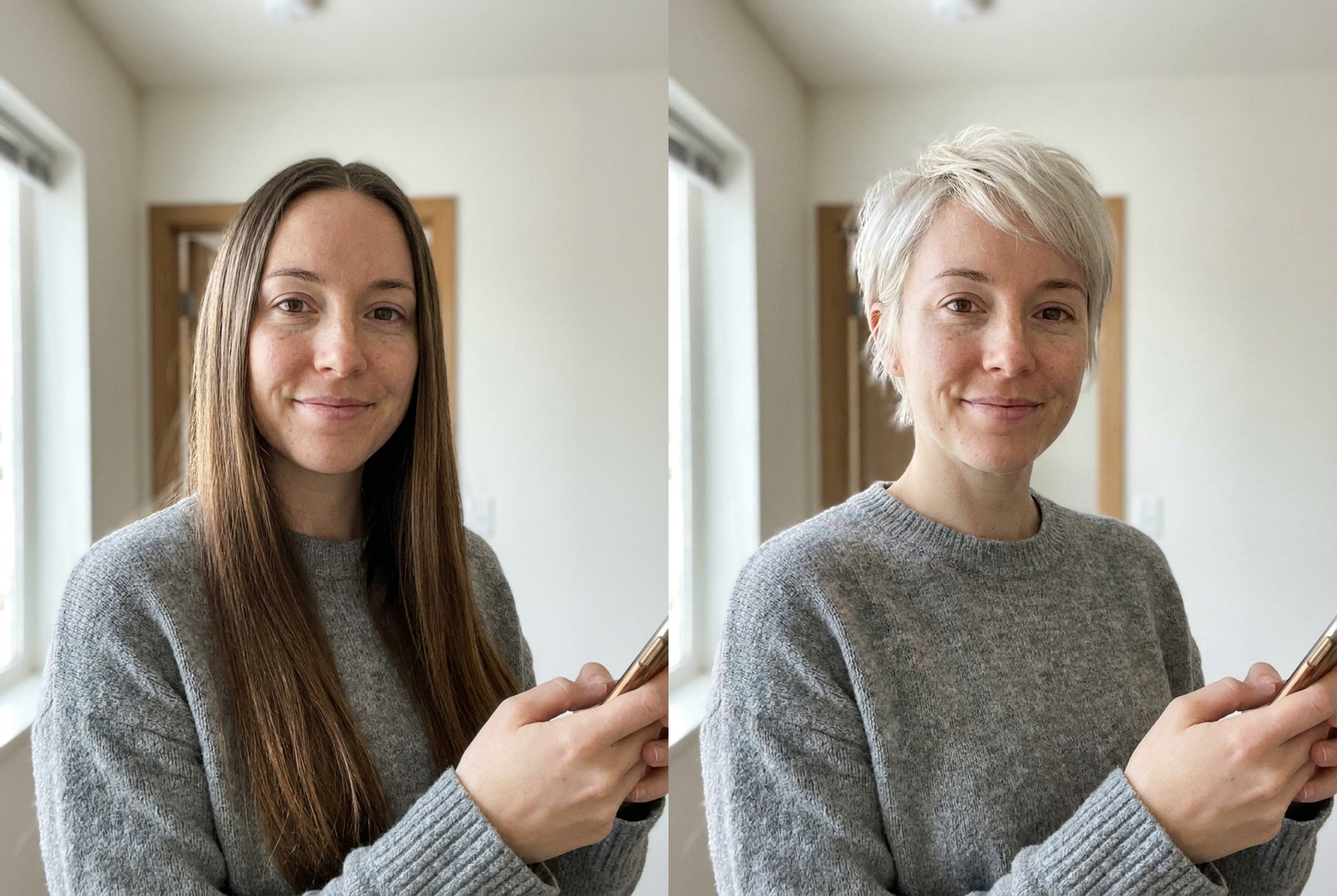
Long brown → platinum pixie
Prompt: "a platinum blonde pixie cut with soft textured layers" — same face, dramatic new cut and color.
AI-generated examples
1. Upload your photo
Pick a clear, front-facing photo where your face and current hairline are visible. Good lighting gives the best results.
2. Describe the hairstyle
Type the cut, length, texture, and color you want — anything from 'curtain bangs' to 'platinum pixie cut'. Be as specific as you'd be with a stylist.
3. Generate and compare
The AI changes only your hair, keeping your face exactly as it is. Download the preview, try more styles, and compare side by side.
Before & After: Real Hairstyle Previews
Each example was generated with this tool's own prompt — one source photo, one hairstyle description, one click. Your face stays exactly the same; only the hair changes.
Long brown → platinum pixie
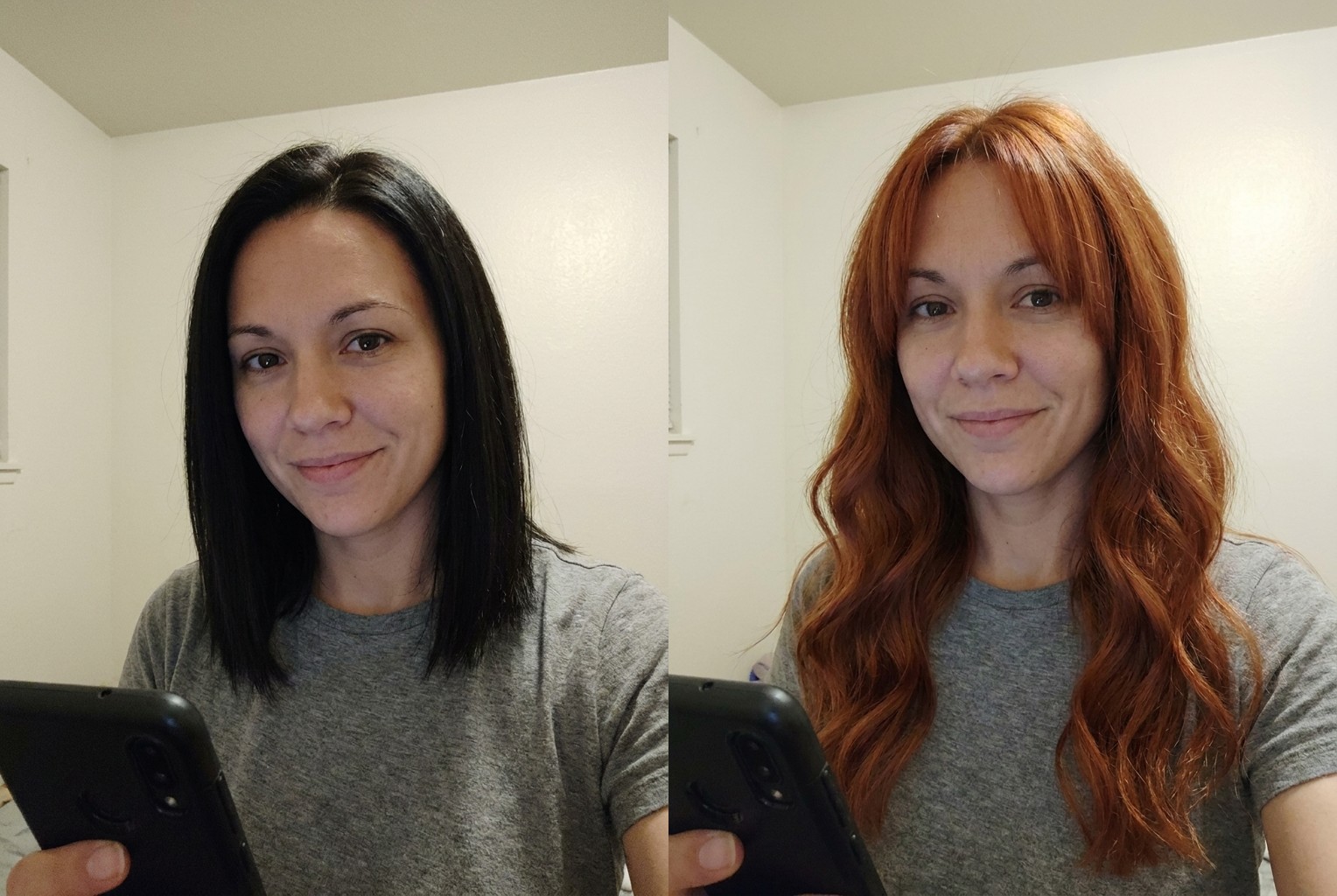
Black bob → copper waves
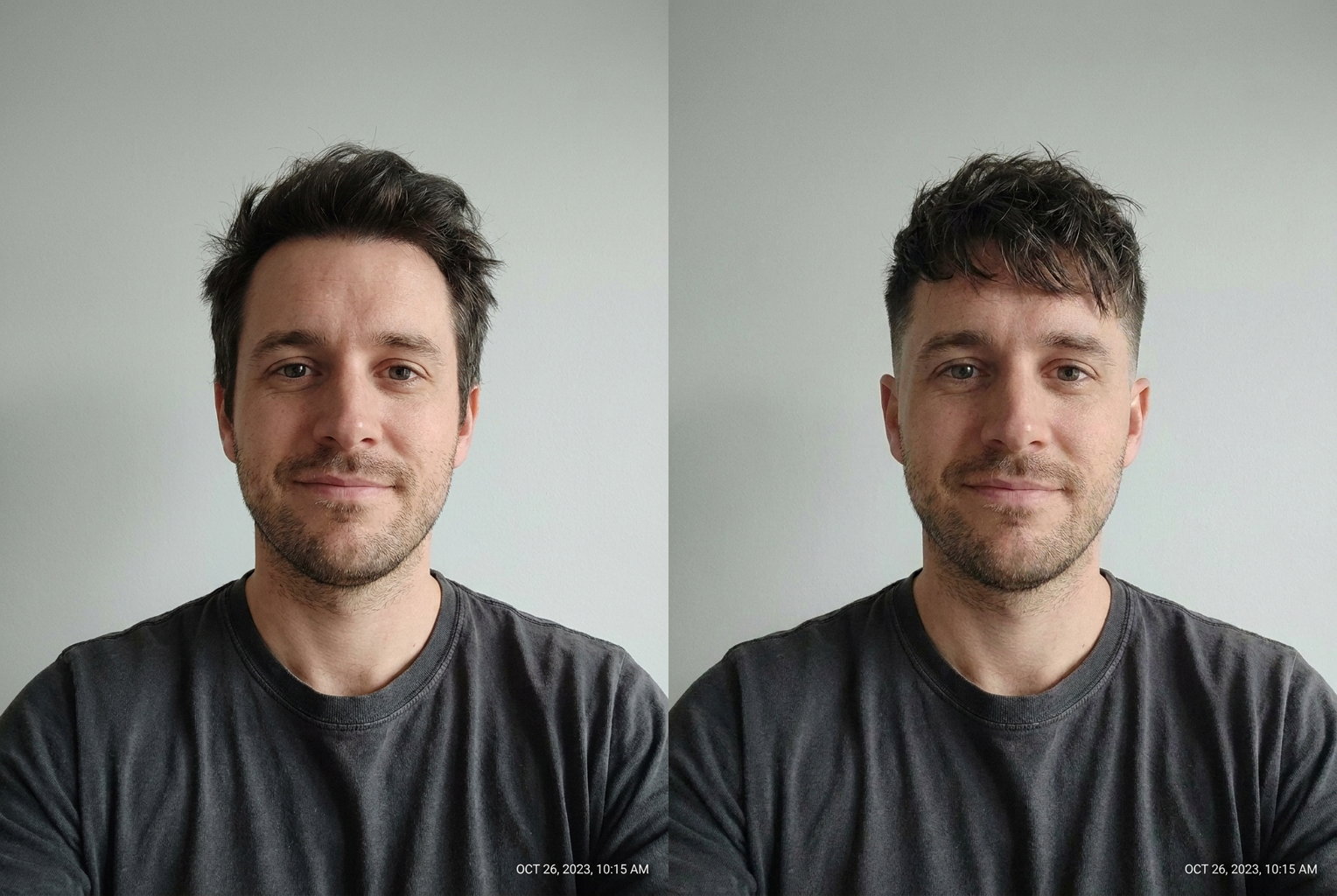
Grown-out → textured fade
Photorealistic previews
The new hairstyle is rendered with realistic strands, a natural hairline, and lighting matched to your photo — it looks like a real photo of you, not a wig sticker.
Your face stays yours
The AI is instructed to preserve your facial features, skin tone, and expression exactly. Only the hair changes, so the preview is an honest answer.
Any cut, any color
No fixed style menu. Describe pixie cuts, long layers, buzz cuts, balayage, platinum blonde, copper red — if you can say it to a stylist, you can try it here.
Works for everyone
All hair types, lengths, and genders. Preview fades and textured crops just as easily as waves, bobs, and bangs.
Instant, low-cost experiments
Each preview costs 1 credit and generates in seconds, so you can try a whole shortlist of styles in one sitting.
Salon-ready downloads
Save your favorite preview in high resolution and bring it to your appointment so you and your stylist see the same picture.
AI Hairstyle Changer: Try On Any Haircut and Color Online
An AI hairstyle changer is the fastest way to answer the question every mirror has ever raised: would that haircut actually suit me? Instead of committing to scissors, bleach, or months of growing things back out, you upload a single photo and describe the style you are curious about. Within seconds the AI hairstyle changer produces a realistic preview of you — not a model, not an illustration, but your own face — wearing the new cut or color. The tool works with any hair length and any starting point, whether you want to preview a dramatic chop, test a bold new color, or simply see how bangs would frame your face. There is nothing to install and no salon appointment required; a selfie and a sentence are all it takes.
Under the hood, the tool uses a state-of-the-art image editing model that understands the difference between hair and everything else in your photo. When you submit a request, the AI identifies your hair region, interprets your description, and regenerates just the hair while locking your facial features, skin tone, and expression in place. This is what separates a modern AI hairstyle changer from the crude photo apps of the past: the new hair is not a sticker pasted over your head. Strands fall naturally around your face, the hairline sits where a real hairline would, and the lighting on the new style matches the lighting in your original photo. The result reads as a genuine photograph of you after a salon visit, which is exactly what makes it useful for real decisions.
Style coverage is effectively unlimited because you describe the hairstyle in plain English rather than picking from a fixed menu. Classic requests include pixie cuts, blunt bobs, long layers, curtain bangs, shags, buzz cuts, and slicked-back looks. Color work is equally at home: platinum blonde, copper, jet black, balayage, money-piece highlights, or fashion shades like silver and rose gold. You can combine cut and color in one pass — 'shoulder-length curly bob with caramel highlights' — or explore texture changes such as straight-to-curly and curly-to-straight. Men use the same virtual hairstyle try on to preview fades, textured crops, and longer grown-out styles. If you can describe it to a stylist, you can type it into the AI hairstyle changer.
The AI hairstyle changer works with what you give it, so a few simple habits dramatically improve your results. Start with a clear, front-facing photo where your face and current hairline are visible — good daylight beats dim indoor lighting, and a plain background helps the AI isolate your hair cleanly. Then be specific in your description: 'long layered waves with curtain bangs and face-framing highlights' gives the model far more to work with than 'nice hair'. Mention length ('chin-length', 'past the shoulders'), texture ('straight', 'loose waves', 'tight curls'), and color if you want one. If a first attempt is close but not perfect, tweak one detail at a time — change 'wavy' to 'straight', or add 'with side-swept bangs' — the same photo can be reused for as many hairstyle try on experiments as you like.
The most common use case is the pre-salon sanity check: try the exact style you plan to request, screenshot the result, and bring it to your appointment so you and your stylist are looking at the same picture. Color-curious users rely on an AI haircut preview before committing to bleach, since color mistakes are the most expensive to reverse. Others use the AI hairstyle changer for wig shopping, cosplay planning, wedding and event styling decisions, or simply for fun — seeing yourself with a mohawk costs one click and zero regret. It is also a quiet confidence tool: people growing out their hair, recovering from a bad cut, or considering a big post-breakup change can preview the destination before starting the journey.
Before tools like this, your options were limited: hold your hair up in the mirror and squint, flip through salon lookbooks featuring models who look nothing like you, or use old-school apps that stretched a fixed wig graphic over your photo. None of those answer the real question, because a hairstyle lives or dies by how it interacts with your specific face shape, forehead, jawline, and complexion. An AI hairstyle changer renders the style on your actual features with photographic realism, which is why the previews feel decisive in a way a lookbook never can. And unlike a real salon experiment, a preview is instant, free of commitment, and infinitely repeatable — you can try fifteen styles in the time it takes to book one appointment.
The workflow is deliberately simple: upload your photo, type the style, and generate. Each result costs a single credit and arrives in high resolution, ready to download or share. Because generations are fast, the tool doubles as a hairstyle simulator: run a handful of variations — the same cut in three colors, or three lengths of the same cut — then place them side by side and compare. Many users keep a small folder of AI hairstyle changer previews as a personal lookbook, adding to it whenever a new style catches their eye on social media. When you finally sit in the salon chair, you arrive with something better than a description: a realistic photo of your own head wearing the answer.
Getting started takes less than a minute. Pick a recent, well-lit photo of yourself, upload it above, and describe the hairstyle you have been thinking about — or the one you would never dare try in real life. The first previews are free to generate with sign-up credits, so you can test the AI hairstyle changer on a real decision before spending anything. Whether you are planning your next salon visit, settling a debate about bangs, or just curious what you would look like as a redhead, the answer is no longer guesswork. Upload a photo, describe the hair, and meet the version of yourself you have been wondering about — the one with the new hairstyle.
AI Hairstyle Changer — Frequently Asked Questions
No. The generation prompt explicitly instructs the model to keep your facial features, skin tone, and expression exactly as they are in the original photo and to change only the hair. That identity preservation is what makes the preview trustworthy — you are seeing your real face with new hair, not a lookalike.
A clear, front-facing photo in good lighting where your face and current hairline are fully visible — a well-lit selfie or headshot is ideal. Avoid hats, heavy shadows across the face, and very low-resolution images. A plain background helps the AI separate your hair cleanly from the scene.
Yes. Color changes are one of the most popular uses — platinum blonde, copper, jet black, balayage, highlights, or fashion colors like silver and pink. You can request a color alone, keeping your current cut, or combine a new cut and color in a single description.
Absolutely. The tool handles fades, buzz cuts, textured crops, slick-backs, curly tops, and grown-out lengths just as well as long styles. Describe the style the way a barber would understand it — 'low skin fade with a textured fringe' — and the preview follows.
The preview shows how the style's shape, length, and color sit against your face, which is the decision that matters most. Real-world results still depend on your hair's density and growth patterns, so treat the image as a highly realistic reference to discuss with your stylist rather than a guarantee.
Each hairstyle preview costs 1 credit, and new users receive free credits at sign-up to try the tool. Credits are shared across all VO3 AI tools, so the same balance also works for video generation and the other image tools on the site.
That is one of the best ways to use it. Download the high-resolution preview and bring it to your appointment — a realistic photo of the target style on your own head communicates far better than a description or a picture of a celebrity with different features.
Yes. Your photo is processed securely for your generation request only. We do not use your uploads to train models or share them with third parties, and you stay in control of the results you choose to download or share.
Still have questions? Contact Support