
2016 Filter
Turn any photo into an authentic 2016-era selfie — flower crown, choker, on-fleek brows and that hazy Instagram grade — while keeping your face exactly the same.
2016 Filter Generator
Drag & drop or click to upload
Supports PNG, JPG, WEBP • Max 20MB
Sign in to start generating
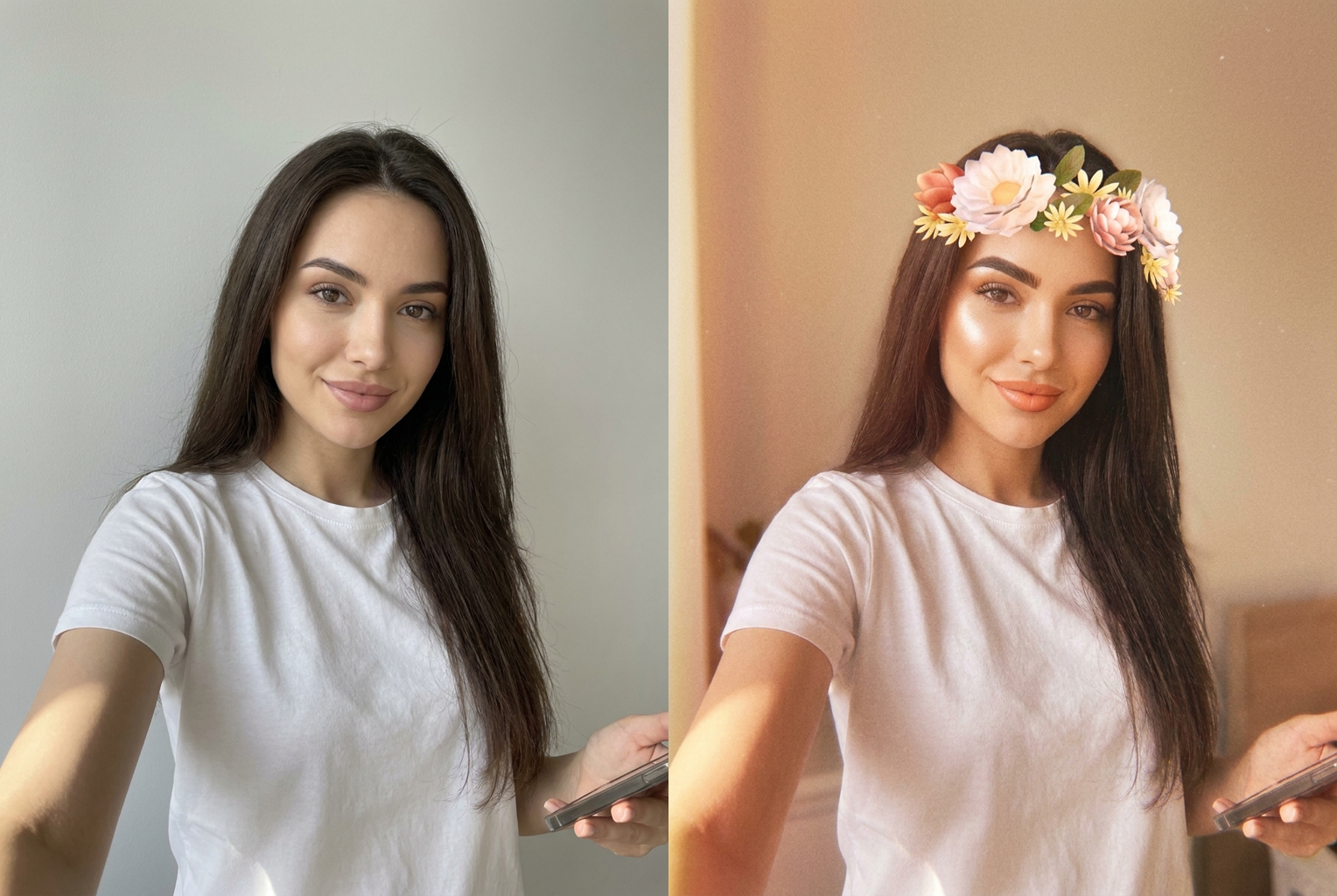
Modern selfie → 2016 flower crown
The same face gets the hazy 2016 grade plus the classic flower crown and on-fleek brows
AI-generated examples
1. Upload a Photo
Pick a clear, well-lit photo where your face is easy to see — a selfie, a portrait, or a half-body shot all work well.
2. Apply the 2016 Filter
One tap wraps your photo in the full 2016 look — hazy Instagram grade, flower crown, choker and on-fleek brows — while locking your face.
3. Download & Share
Get your throwback selfie in seconds and post it straight to your feed or stories for the full nostalgia hit.
See the 2016 Filter in Action
Real before-and-after results — a modern photo on the left, the same face restyled into an authentic 2016 selfie on the right.
Modern selfie → 2016 flower crown
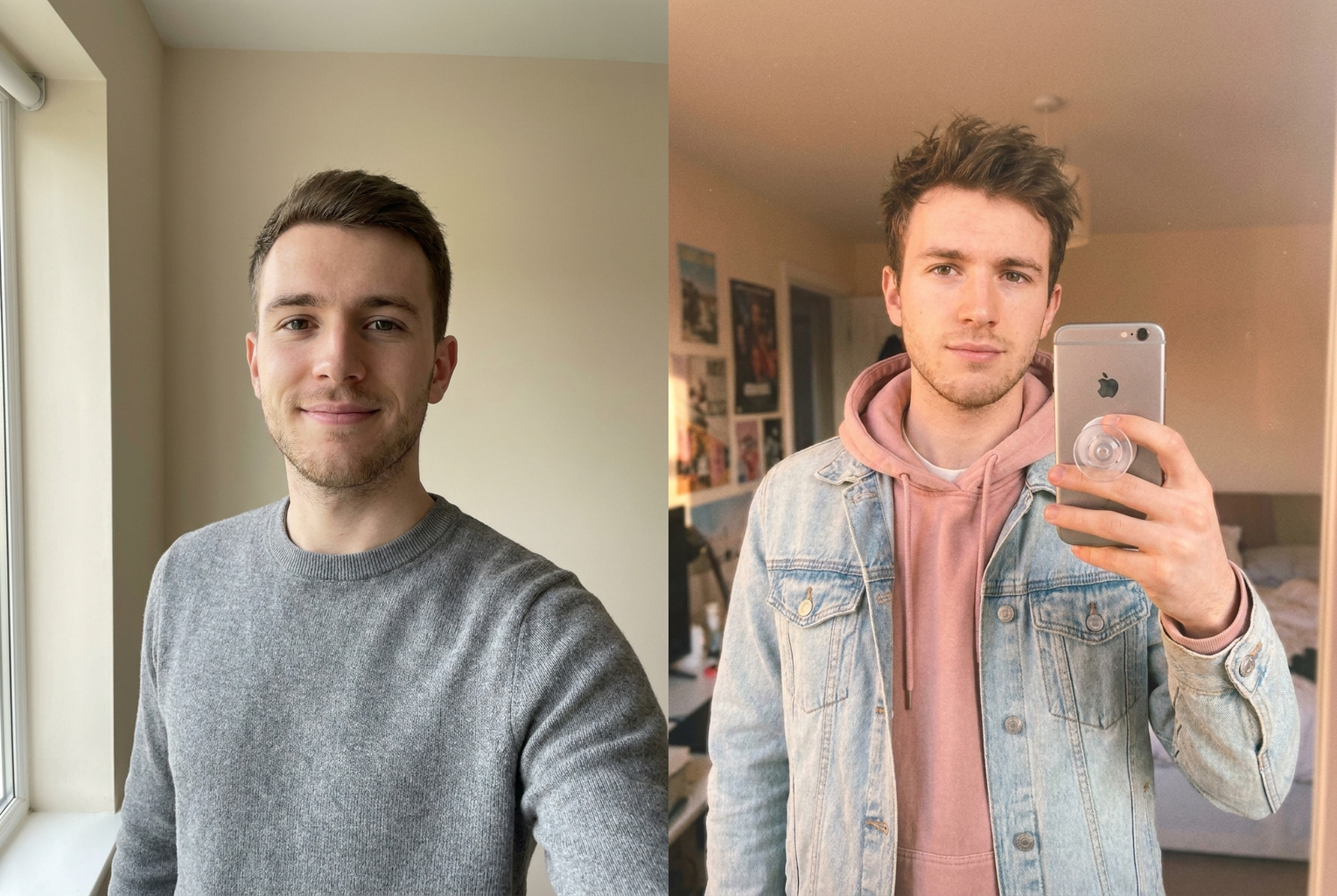
Modern selfie → 2016 Instagram grade
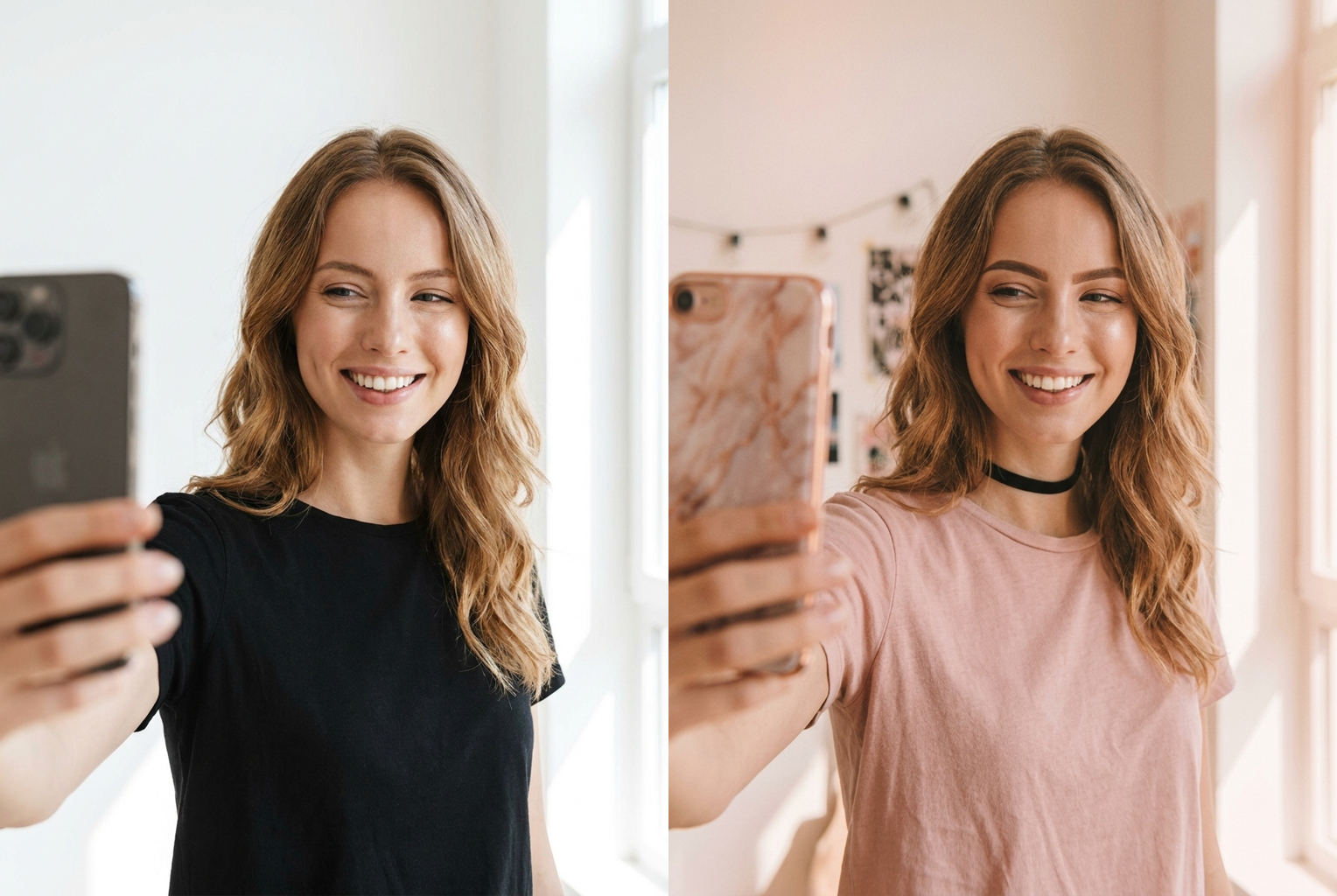
Modern selfie → 2016 choker look
Keeps Your Face
Identity preservation locks your facial features so the result is unmistakably you — only the era around you changes.
Authentic 2016 Grade
Warm, hazy Valencia-style color, lifted shadows and soft rose-gold tones recreate exactly how photos looked in 2016.
Period Beauty Cues
On-fleek brows, dewy highlight, a thin choker and the classic flower crown are added only where they fit naturally.
Results in Seconds
No presets to fiddle with and no editing skills needed — the whole 2016 makeover happens in a single tap.
Works on Any Photo
Selfies, group shots, portraits and half-body photos all convert cleanly into the throwback aesthetic.
Free to Try
Generate your first 2016 selfie at no cost and download a high-resolution image ready for any platform.
The AI 2016 Filter: Turn Any Photo Into an Authentic 2016 Selfie
The 2016 filter is an AI photo effect that takes any modern picture and restyles it to look exactly like a selfie captured at the peak of 2016's social-media moment. That year had a look you can recognize instantly — a warm, slightly hazy grade, faded highlights, soft rose-gold tones, and a scattering of flower crowns and chokers across every feed. Instead of hunting for old presets or trying to remember which app you used back then, the 2016 filter rebuilds that entire aesthetic from a single upload, giving you a throwback selfie that feels genuinely of its era while still looking like you.
Under the hood, the 2016 filter runs on a modern image model that reads your photo, understands the person in it, and repaints the styling around them. It applies the signature color science of the time — lifted shadows, gently blown highlights, peach-and-rose warmth and a soft vignette — the same qualities that made filters like Valencia and X-Pro II so recognizable. On top of that grade it layers in period beauty cues: bold on-fleek eyebrows, dewy highlighted cheekbones, a thin black choker and the famous flower crown. It even leans into the square Instagram framing and light film-grain haze that defined the feed back then. Because everything the 2016 filter does is generated in one pass, the result stays coherent rather than looking like a stack of mismatched edits.
What makes this 2016 filter genuinely useful is identity preservation. The model is instructed to keep your facial structure, bone structure, skin tone, eye color and expression exactly as they appear in your original photo. Only the styling, makeup cues and color grade around your face change. That means the throwback selfie is unmistakably you — not a stranger who happens to share your vibe — which is the single biggest thing cheaper effects tend to get wrong. You get the nostalgia without losing yourself in it.
Getting a great result is mostly about the photo you feed in. A clear, well-lit shot where your face is easy to read gives the AI the best chance to preserve your features while applying the throwback look. Front-facing selfies, clean portraits and half-body photos all convert beautifully. It helps to avoid heavy shadows, extreme angles, sunglasses or anything covering your face. Higher-resolution uploads give the 2016 filter more detail to work with, so a sharp phone photo will always beat a tiny, compressed thumbnail. A relaxed, natural expression tends to read best, since the era's selfies were candid and unposed. If your first attempt feels too subtle or too strong, simply try a different source photo — brighter lighting and a straight-on angle almost always sharpen the effect.
People reach for the 2016 filter for all kinds of reasons. It is perfect for throwback posts and nostalgia challenges, for recreating the era you grew up posting in, or for a playful before-and-after that shows how much aesthetics have shifted. Creators use it to make trend content that instantly reads as that year, friend groups use it for matching flower-crown selfies, and plenty of people just enjoy seeing what their current face looks like wrapped in the styling of a decade ago. It also makes a great birthday or reunion surprise, a themed profile picture, or a first slide in a then-and-now carousel that racks up comments. Because it works on group shots too, it is a fun way to bring a whole friend circle back to 2016 at once.
Compared with editing a photo by hand, the 2016 filter saves an enormous amount of work. Recreating the look manually would mean grading the color, adding grain, painting on a flower crown, redrawing eyebrows and adding a choker — each one a fiddly task that rarely comes together convincingly. Older filter apps could get you part of the way, but they applied flat overlays that flattened faces and ignored lighting. This AI approach reads the actual scene and relights it, so the flower crown sits correctly, the grade wraps around your features, and the whole image holds together like a real 2016 photo rather than a sticker pasted on top. In practice, the 2016 filter collapses what used to be twenty minutes of layered editing into a single tap, and it does so more convincingly than a manual pass ever could.
The workflow is deliberately simple. You upload a photo, tap once to apply the 2016 filter, and within a few seconds you have a finished, high-resolution image with no watermark. There are no sliders to balance and no presets to compare — the styling, the grade and the beauty cues are all handled automatically. From there you can download the result and post it straight to Instagram, TikTok, stories or a group chat. The framing is square-friendly on purpose, so it drops neatly into a feed the way a real post from that year would have.
Getting started takes less than a minute. Pick your best-lit photo, upload it, and let the 2016 filter do the rest — your first throwback selfie is free to try, and every generation keeps your real face intact. Whether you want a single nostalgic post, a matching set with friends, or a scroll-stopping before-and-after, the 2016 filter turns the idea in your head into a shareable image in seconds. There is nothing to install, no account hoops to jump through before you see a result, and no design skill required — the tool is built so that anyone can go from a plain photo to a polished throwback in one attempt. Upload a photo now and see yourself back in 2016.
2016 Filter — Frequently Asked Questions
The 2016 filter is an AI effect that restyles any modern photo to look like a selfie taken at the height of 2016's Instagram-and-Tumblr era. It layers on the hazy warm color grade, faded highlights and soft rose-gold tones people loved that year, then adds signature cues like a flower crown, a thin choker and bold on-fleek eyebrows — all while keeping your real face.
Yes. Identity preservation is built into every generation, so your facial structure, skin tone, eye color and expression stay exactly as they are in your original photo. The AI only changes the styling, makeup cues and color grade around you, so the result still looks unmistakably like you — just pulled from 2016.
A clear, well-lit photo where your face is easy to see gives the strongest result. Front-facing selfies, portraits and half-body shots all work great. Avoid heavy shadows, extreme angles, sunglasses or anything covering your face, since the AI needs to read your features clearly to preserve them while applying the throwback look.
You can try the 2016 filter for free and download your first throwback selfie without paying. Each generation costs a single credit, and new accounts start with free credits so you can test the look before deciding to make more. There is no watermark on your downloaded image.
Yes. The 2016 filter works on group shots as well as solo selfies. Each visible face keeps its own features while the whole scene gets the unified 2016 grade and styling. For the cleanest result, pick a group photo where everyone's face is well-lit and clearly in frame rather than turned away or partly hidden.
Most images finish in a few seconds. You upload a photo, tap once, and the fully restyled 2016 selfie appears ready to download. There are no sliders, presets or manual editing steps — the AI handles the color grade, the flower crown, the choker and the on-fleek brows in a single pass.
2016 photos had a very specific look: a warm hazy filter with lifted shadows, soft rose-gold and peach tones, a gentle vignette, and light film grain. On top of that came flower-crown filters, thin chokers, bold defined eyebrows, dewy highlight and millennial-pink outfits. The 2016 filter recreates all of these signals at once so your photo instantly reads as that year.
Absolutely. Your downloaded image is a clean, high-resolution file with no watermark, so you can post it to Instagram, TikTok, stories, group chats or anywhere else. The square-friendly framing is designed to look right at home on a feed, which makes it perfect for throwback and nostalgia posts.
Still have questions? Contact Support