
Kling 4.0 vs Veo 3.1
Veo 3.1
Kling 4.0's 30-second native clips are still a preview — Veo 3.1's multi-reference control is live on VO3 right now.
Kling 4.0 was previewed on September 29, 2026 with two headline claims: native 30-second generation and multi-reference conditioning. Neither is available to generate with yet. This page breaks down what Kling 4.0 has actually shown, what Veo 3.1 and Kling 3.0 deliver on VO3 today, and how to hit 30-second runtimes and reference-locked characters without waiting for a release date.
Video Gallery
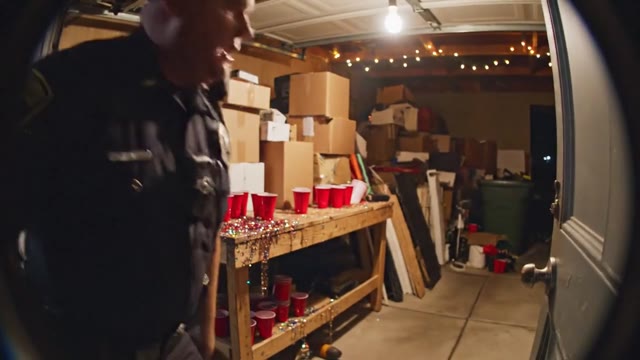
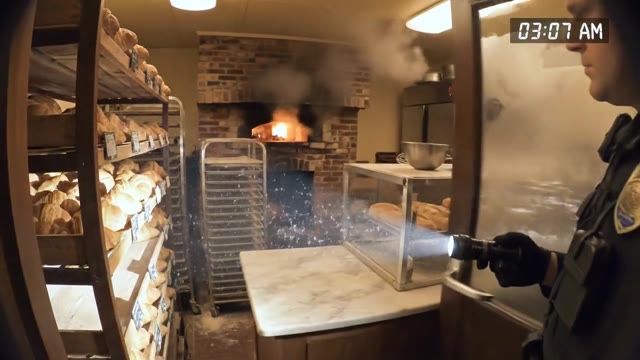
![[tiktok-viral] Smooth steadicam shot following a traveler fr…](https://pub-40fc341bb75049a4af5e73bf5afac3ba.r2.dev/showcase/thumbnails/vid_1770494638951.jpg)
![[viral-wow] Macro ASMR video: a chef knife slowly slicing th…](https://pub-40fc341bb75049a4af5e73bf5afac3ba.r2.dev/showcase/seo/seo-wow-7.jpg)
![[social-ad] Breaking news broadcast style: a sleek holograph…](https://pub-40fc341bb75049a4af5e73bf5afac3ba.r2.dev/showcase/thumbnails/vid_1769552213561.jpg)
![[animation] 3D cartoon animation with expressive lip-sync: a…](https://pub-40fc341bb75049a4af5e73bf5afac3ba.r2.dev/showcase/seo/seo-style-2.jpg)
Kling 4.0 vs Veo 3.1: What You Can Actually Ship Today
30 Seconds, Available Now
Kling 4.0's marquee feature is a single native 30-second clip. Until it ships, VO3 gets you there by chaining Veo 3.1 Multi-Image shots: each render is 8 seconds at 1080p,
and the start-to-end frame control lets shot two open exactly where shot one closed. Four handoffs give you 32 seconds of continuous footage for 32 credits — and you can re-roll one bad shot instead of regenerating a whole half-minute.
Multi-Reference Control, Not a Preview
The other Kling 4.0 headline is multi-reference conditioning. Veo 3.1 Multi-Image already accepts 1 to 5 reference images per generation, so a product, a face,
or a set can be locked across an entire sequence. Upload your packshot from three angles and the bottle stays the same bottle — the exact consistency problem Kling 4.0 is being announced to solve.
1 Credit Per Clip Entry Point
Veo 3.1 Lite renders 8 seconds at 720p with audio for a single credit, which makes the $19.9 Lite plan worth 50 finished videos.
Kling 3.0 costs 6 credits for 5 seconds, and Veo 3.1 Multi-Image costs 8 credits for 8 seconds. Storyboard cheap on Lite, then spend credits only on the shots that made the cut.
Native 4K From Kling 3.0
If the deliverable spec says 4K, Veo 3.1 does not get you there — it caps at 1080p.
Kling 3.0 outputs up to native 4K with audio for 6 credits per 5-second clip, and it is the strongest option on VO3 for dynamic camera moves and high-energy motion. Kling 4.0 has not published a resolution ceiling yet.
Audio Included on Both Families
Veo 3.1, Veo 3.1 Lite, Kling 3.0 and Kling 2.6 Pro all return synchronized audio in the same render.
There is no separate voiceover pass, no lip-sync step, no extra credit charge for sound. Dialogue, ambience and effects arrive attached to the clip you generated.
Both Model Families, One Editor
You do not have to pick a side in the Kling vs Veo argument. VO3 runs Veo 3.1 Multi-Image, Veo 3.1 Lite,
Kling 3.0 and Kling 2.6 Pro from the same prompt box and the same credit balance. Send the identical prompt to two models, watch them back to back, and let the output decide instead of the marketing page.
2 to 4 Minute Turnaround
Veo 3.1 Multi-Image returns in roughly 2 to 4 minutes, Kling 3.0 and Kling 2.6 Pro in 2 to 3,
and Veo 3.1 Lite in 1 to 3. That is fast enough to test three model choices inside one working session rather than queueing overnight and hoping.
No Waitlist, No Regional Lockout
New Chinese model launches typically arrive behind an invite list or a mainland-only app.
Every model on VO3 is generateable the minute you create an account, and the free credits let you judge Veo 3.1 and Kling 3.0 output quality before any card is entered.
How to Run Your Own Kling vs Veo Test
Write One Prompt, Not Three
Pick the hardest shot in your project — the one with a recognizable product, a specific face, or motion that usually breaks. Write it once. A model comparison is only useful when the input is identical, so resist the urge to tune the prompt per model.
Draft It on Veo 3.1 Lite First
Send the prompt to Veo 3.1 Lite at 1 credit. You get 8 seconds at 720p with audio in 1 to 3 minutes. This is your composition check: framing, pacing, whether the idea reads at all. Iterate here five or six times for the price of one premium render.
Run the Same Prompt Through Kling 3.0 and Veo 3.1
Once the draft works, generate it on Kling 3.0 for motion energy and up to 4K, and on Veo 3.1 Multi-Image with your reference images attached for subject consistency. Same prompt, two engines, 14 credits total. Watch them side by side at full size.
Extend to 30 Seconds With Frame Handoff
For the long-form cut, take the final frame of your best Veo 3.1 shot and set it as the start frame of the next generation. Repeat three more times. You end up with a continuous 32-second sequence where every 8-second segment can be re-rolled independently.
Download and Judge on Real Screens
Export both versions and watch them where the audience will — phone, muted, thumb already moving. Model benchmarks rarely survive that test. Whichever clip holds attention for the first two seconds is the model you should spend the rest of your credits on.
What Our Users Say
We were holding our Q4 skincare launch for Kling 4.0's 30-second clips. Instead we chained four Veo 3.1 Multi-Image shots with frame handoff and shipped a 32-second hero spot in two days. Serum bottle identical in every cut. Conversion on the product page went up 23%.
I ran the same dental clinic prompt through Kling 3.0 and Veo 3.1 back to back. Kling won on camera movement, Veo won on the patient's face staying consistent. Being able to test both for 14 credits instead of two separate subscriptions saves my agency about $380 a month.
Automotive clients ask for 4K in the contract, so Kling 3.0 does our hero shots. But we storyboard everything on Veo 3.1 Lite at 1 credit first. Last hypercar campaign: 60 draft clips, 7 finals, total spend under $40. The old way was a $2,400 pre-viz budget.
Our channel needs a new 30-second explainer every weekday. We tried waiting for Kling 4.0 access and lost three weeks. Veo 3.1 with start-to-end frames plus Lite for the B-roll now covers all five episodes in a single Monday session. Watch time is up 41% since we stopped outsourcing animation.
The multi-reference thing everyone is excited about in Kling 4.0 is already how I work. Five product photos into Veo 3.1, and the furniture keeps its actual wood grain across a six-shot sequence. Returns from misleading video dropped noticeably — we were at 11%, now under 6%.
Frequently Asked Questions
Ready to Get Started?
Join thousands of creators using our AI video platform to produce professional-quality content.