
AI Image to Video Generator
Image to Video Prompt Ideas (Make Your Pictures Animate)
Community Creations
These are final videos generated by users using the settings above.
No community videos available yet
See Image to Video in Action
Watch how AI transforms static images into dynamic, cinematic videos with realistic motion
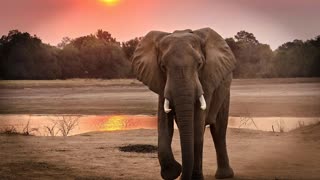
AI Image to Video Generator – Make Pictures Animate
VO3 AI focuses on Image to Video generation, allowing you to animate photos and pictures into high-quality videos using advanced AI models.
Image to Video AI (Make Picture Animate)
Turn any photo or picture into an animated video with realistic motion, camera movement, and cinematic effects. Perfect for making pictures animate, animating photos, and image-to-video creation.
- ✓ Animate a single image into video
- ✓ Make picture animate with AI motion
- ✓ Multi-image reference for consistency (VEO3.1)
- ✓ First & last frame control
- ✓ Continue animation from any video
Audio-Enabled Models
Add sound to your image to video animations with AI-generated audio or keep videos silent for custom soundtracks.
With Audio
RecommendedAI generates synchronized sound effects and ambient audio for animated pictures.
Silent Models
Budget-friendlyIdeal if you plan to add custom music, voiceovers, or use videos in presentations.
Smart Prompt Tools
Optimize prompts to create smoother image to video animations and more natural photo motion.
Auto Optimize
AI-enhanced prompt optimization for better video quality.
Prompt Library
Browse curated prompts for inspiration and quick starts.
Save Prompts
Save and reuse your best-performing prompts.
Batch Generate
Generate multiple scenes in a single run.
Continue Scene
Extend any video with new scenes while keeping style consistency.
VEO3.1 Exclusive Features
Advanced capabilities available only on VEO3.1 models.
Multi-Image Reference
Upload multiple reference images to maintain character and style consistency.
First & Last Frame
Precisely control how your video starts and ends.
Fast Mode
Generate videos quickly using fewer credits for rapid testing and iteration.
Frequently Asked Questions
What is Image to Video AI?
Image to Video AI lets you make pictures animate by transforming static photos into dynamic videos with AI motion.
Can I animate photos and pictures?
Yes. You can animate photos, pictures, and images into videos with camera movement, motion, and effects.
Do I need video editing skills?
No. Just upload an image, describe how you want it to animate, and generate your video.
Which model should I choose?
VEO3 Fast is recommended for most users. Choose VEO3.1 Pro for higher realism and audio, or budget models for simple projects.
How long does video generation take?
Most videos are generated within 1–5 minutes, depending on the model and complexity.
Can I use the videos commercially?
Yes. All videos generated on VO3 AI can be used for commercial purposes.
Is there a free trial?
VO3 AI does not offer free credits. You can start with a low-cost trial by purchasing an affordable starter pack.
Do I need a subscription?
No subscription is required. VO3 AI uses a pay-as-you-go credit system.