GPT Image 2 Explained
GPT Image 2

OpenAI's reasoning-powered image model renders near-perfect text and 4K output from $0.006 per image — and VO3 is the fastest way to turn those stills into video.

Released in April 2026, GPT Image 2 added a reasoning step before generation, which is why it handles dense typography, product packaging, and complex layouts far better than earlier models. Generate your still in ChatGPT or the OpenAI API, then bring it into VO3 to animate it into a share-ready clip.

↓ Scroll to explore
Featured Video

Video Gallery

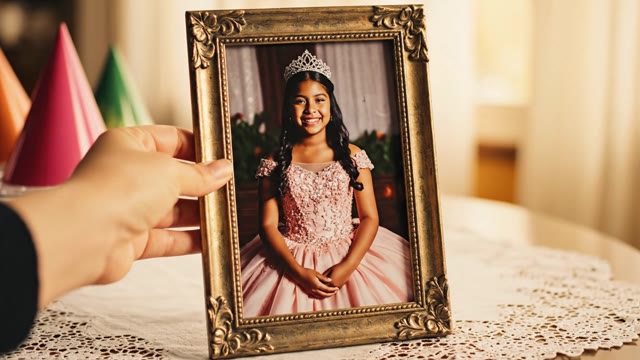
Image-to-video personalized quinceanera greeting: a printed…
AI Generated

Image-to-video personalized quinceanera greeting: a printed…

Image-to-video personalized quinceanera greeting: a printed portrait of the birthday girl animates, then cuts to family recording a heartfelt custom Spanish message.

Try this prompt
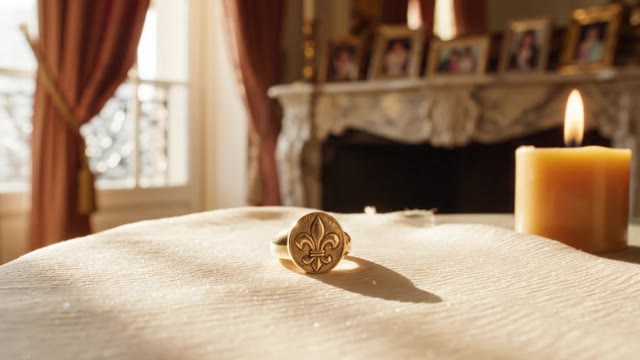
French heritage jewelry photo animates into a cinematic cand…
AI Generated

French heritage jewelry photo animates into a cinematic cand…

French heritage jewelry photo animates into a cinematic candlelit ring rotation with bilingual VO

Try this prompt
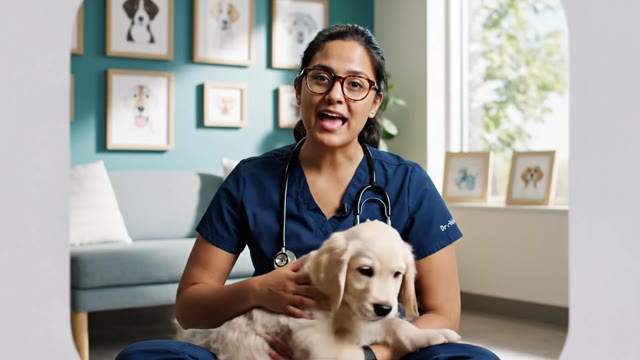
Vet talking-head invite to book same-week visit, image-to-vi…
AI Generated

Vet talking-head invite to book same-week visit, image-to-vi…

Vet talking-head invite to book same-week visit, image-to-video reveal

Try this prompt
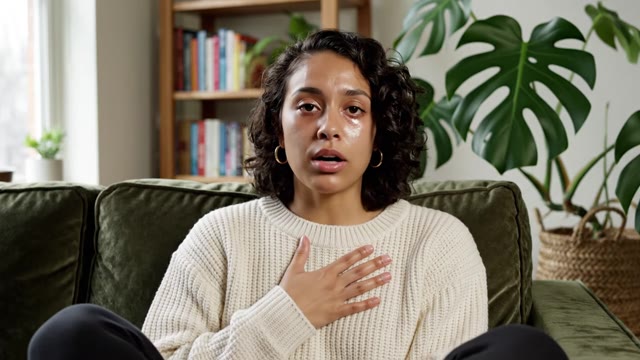
Authentic phone-shot testimonial from a therapy client, imag…
AI Generated

Authentic phone-shot testimonial from a therapy client, imag…

Authentic phone-shot testimonial from a therapy client, image-to-video reveal

Try this prompt
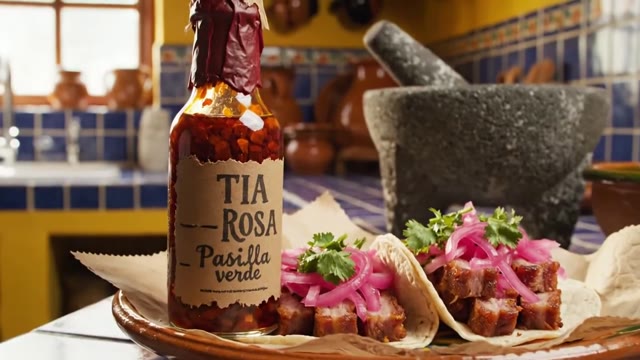
Heritage DTC food brand — single catalog photo animates into…
AI Generated

Heritage DTC food brand — single catalog photo animates into…

Heritage DTC food brand — single catalog photo animates into a sauce-pour beauty shot

Try this prompt

What Makes GPT Image 2 Different

Near-Perfect Text Rendering

Legible typography has been the weak point of every image generator, and GPT Image 2 is the first widely available model that mostly solves it — across Latin and CJK scripts.
That makes it genuinely usable for packaging mockups, ad creative with a headline baked in, menu boards, book covers, and UI screenshots, none of which survive the garbled-letter problem.

$0.006 to $0.211 Per Image

GPT Image 2 pricing scales with resolution and quality tier. A 1024x1024 image runs roughly $0.006 on low quality, about $0.053 on medium, and around $0.211 on high.
A full 3840x2160 render lands near $0.401 at high quality. The Batch API halves all of it, so overnight bulk jobs cost about half of what interactive generation does.

Custom Sizes Up To 4K

Beyond the usual square, portrait, and landscape presets, GPT Image 2 accepts fully custom dimensions in multiples of 16, with a maximum edge of 3840px, aspect ratios up to 3:1,
and a ceiling around 8.3 million pixels per image. Ultra-wide banners, tall story frames, and 4K hero images all come straight out of the model without an upscaling step.

Mask-Based Editing

GPT Image 2 supports inpainting and outpainting with mask support, so you can swap a product, change a background, extend a frame to a new aspect ratio,
or fix one bad hand without regenerating the whole composition. Output formats include PNG, JPEG, and WEBP, which keeps it compatible with whatever your pipeline expects.

Image-To-Video On VO3

A still is only half the asset.
VO3's image-to-video models take a GPT Image 2 render as the opening frame and animate it — a slow push-in on a product, light moving across a scene, a logo resolving into place. One good image becomes a clip you can actually post to TikTok, Reels, or YouTube Shorts.

From GPT Image 2 Still To Finished Video

1

Generate The Image

Create your still with GPT Image 2 in ChatGPT or through the OpenAI API using the gpt-image-2 model. Be specific about composition, lighting, and any on-image text — the reasoning pass rewards detailed prompts, and this is the model you can finally trust with a real headline or product label.

2

Upload It To VO3

Open the VO3 create page and upload your GPT Image 2 render as the starting frame for an image-to-video model. There is no export dance and no plugin: the PNG, JPEG, or WEBP straight out of the API is what you drop in.

3

Describe The Motion

Write a short motion prompt describing how the frame should move — a slow dolly toward the product, a gentle parallax across the background, steam rising, a character turning to camera. Keep it to one clear movement; restrained motion preserves the detail and text fidelity you paid for in the still.

4

Export And Publish

Preview the clip, regenerate if the motion missed, then export in high resolution. The result is ready for paid social, a product page, a marketplace listing, or a client deliverable — generated in minutes rather than booked as a shoot.

What Our Users Say

GPT Image 2 is the first model that renders our packaging copy legibly, so we stopped compositing text in post. We generate the hero still, animate it on VO3, and our DTC skincare launch creative went from a two-week studio cycle to two days. Cost per asset dropped about 87%.

D
Dana WhitfieldCreative Director, DTC Skincare Brand

We list roughly 400 SKUs a quarter and every one needs a lifestyle shot. At medium quality we're paying around five cents an image, then VO3 turns the best ones into 6-second listing videos. Listings with video convert about 23% better for us, and we no longer book a photographer for anything under $200 retail.

M
Marcus OyelaranEcommerce Operations Lead, Home Goods Retailer

Our agency runs concept rounds for restaurant clients, and the CJK text rendering matters because half our menus are bilingual. GPT Image 2 handles it, and animating the boards on VO3 gives clients something moving to react to in the first meeting. We're pitching three times as many concepts per retainer hour.

P
Priya RaghunathanFounder, Hospitality Marketing Agency

I build course thumbnails and explainer visuals at volume. Batch API pricing cuts the bill in half overnight, so a 300-image month costs me under $20, and the ones I animate through VO3 get roughly 40% more clicks than the static versions. That combination is hard to argue with.

T
Tobias LindqvistIndependent Course Creator

Frequently Asked Questions

GPT Image 2 is OpenAI's image generation model, released in April 2026 as the successor to GPT Image 1. Its defining change is that it runs a reasoning pass before generating, working out layout and spatial relationships rather than pattern-matching to a plausible-looking result. GPT Image 2 supports text-to-image generation, reference-image workflows, and mask-based editing, and it is available through the OpenAI API as gpt-image-2 as well as inside ChatGPT.

GPT Image 2 pricing depends on resolution and quality tier. At 1024x1024, a low-quality image is roughly $0.006, medium is around $0.053, and high quality is about $0.211. A 1920x1080 render runs from about $0.005 to $0.158, and a full 3840x2160 image reaches roughly $0.401 at high quality. Token-based API pricing is commonly quoted around $8 per million input tokens and $30 per million output tokens, and the Batch API applies a 50% discount for asynchronous jobs. Third-party providers resell access at their own rates, some starting near $0.025 per image.

The biggest difference is the reasoning step GPT Image 2 performs before generation, which improves prompt adherence and how sensibly objects are arranged in a scene. The second major upgrade is text: GPT Image 2 renders typography inside images far more reliably than its predecessor, including CJK scripts. It also supports larger custom dimensions, with a maximum edge of 3840px, where earlier GPT Image output was limited to a small set of presets like 1024x1024, 1536x1024, and 1024x1536.

GPT Image 2 offers preset square, portrait, and landscape sizes along with fully custom dimensions. Custom sizes must be multiples of 16, the longest edge can reach 3840px, aspect ratios go up to 3:1, and total output is capped around 8.3 million pixels. Supported output formats are PNG, JPEG, and WEBP. That range covers 4K hero images, ultra-wide banners, and vertical 9:16 frames intended for short-form video without a separate upscaling pass.

Yes. GPT Image 2 supports image editing with mask support, which covers both inpainting and outpainting. You can replace a single element, change a background, remove an object, or extend a frame into a wider or taller aspect ratio while leaving the rest of the composition untouched. This is generally cheaper and more predictable than regenerating the full image when only one region is wrong.

Yes, and it is the natural next step. A GPT Image 2 render makes an excellent opening frame for image-to-video generation because the composition and any on-image text are already correct. On VO3 you upload the still, add a short motion prompt describing how the scene should move, and the model animates it into a clip. Keeping the motion simple preserves the text fidelity and fine detail that make GPT Image 2 images worth animating in the first place.

It is one of the stronger options available, mainly because of the text rendering. Packaging mockups, ad creative with headlines, menu boards, and marketplace listing images all depend on legible type, and that was the failure point of previous models. Combined with 4K output and mask-based editing for revisions, GPT Image 2 fits real production workflows. Note that usage rights and brand safety still depend on OpenAI's terms and your own review process, so treat generated assets the way you would any other licensed creative.

OpenAI followed with GPT Image 2.5 on September 8, 2026, which introduced a Sketch feature and split API access into two variants, Flare and Sunburst, trading off speed against quality. GPT Image 2 itself remains widely available and well supported, and the image-to-video workflow is identical either way: generate the still with whichever tier suits your budget, then animate it on VO3.

The closest competitors are Google's Nano Banana 2 family, which is cheaper and faster but weaker on dense text, Seedream 5 for stylized and photographic work, and FLUX 3 for open-weight flexibility. GPT Image 2 wins when typography, layout reasoning, or 4K output matter most; the alternatives win on price per image and raw speed. If your end goal is video, the choice matters less than you would think, since VO3 accepts a starting frame from any of them.

Ready to Get Started?

Join thousands of creators using our AI video platform to produce professional-quality content.