
The Boreal AI Alternative Built For
Finished Ads
One prompt box, every leading video model — generate, compare and export ad-ready clips without juggling separate tools.
Boreal is a single fast text-to-video model. VO3 is the workspace around the models: run Veo 3, Sora 2, Kling and Wan side by side, keep native audio, and export 1080p clips your brand can actually ship.
Video Gallery
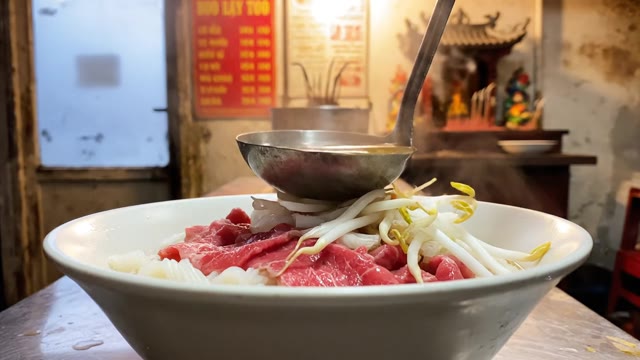
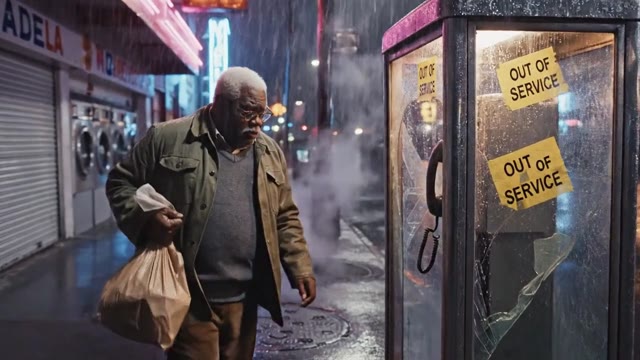
![[real-estate] A charming two-story craftsman home with a man…](https://pub-40fc341bb75049a4af5e73bf5afac3ba.r2.dev/showcase/thumbnails/vid_1771877701087.jpg)
![[animation] Watercolor children's book illustration comes to…](https://pub-40fc341bb75049a4af5e73bf5afac3ba.r2.dev/showcase/seo/seo-animation-3.jpg)
![[concept-art] Impossible drone shot through a massive data c…](https://pub-40fc341bb75049a4af5e73bf5afac3ba.r2.dev/showcase/thumbnails/vid_1769550511307.jpg)
![[brand-promo] Epic 8-second brand film: drone zooms over mir…](https://pub-40fc341bb75049a4af5e73bf5afac3ba.r2.dev/showcase/thumbnails/vid_1770150793214.jpg)
Why Creators Switch to VO3
Every Model, One Account
Boreal gives you one model. VO3 gives you Veo 3, Veo 3 Fast, Sora 2, Kling, Hailuo,
Seedance and Wan behind a single prompt box — so a shot that misses in one model gets re-rolled in another without a new subscription.
Native Audio, Not Silent Clips
Veo 3 on VO3 generates dialogue,
ambience and sound effects inside the same pass. No separate voiceover tool, no lip-sync patching after the fact.
Fast Drafts, Premium Finals
Draft on Veo 3 Fast or Wan for pennies,
then re-render the winning prompt on a flagship model. You only spend premium credits on the take that actually gets published.
Credits That Do Not Expire Monthly
Pay-as-you-go credit packs plus subscription tiers.
Cost is shown per model and resolution before you hit generate, so a 30-second ad never becomes a billing surprise.
Text-to-Video and Image-to-Video
Start from a written brief or animate an existing product photo, packshot or logo lockup.
Image-to-video keeps your real product on screen instead of a model hallucinating one.
1080p Exports With No Watermark
Download clean MP4s ready for YouTube, TikTok, Meta and Amazon listings. Vertical,
square and widescreen aspect ratios are available at generation time.
Built For A Global Team
The editor ships in 8 languages and prompts work in any language,
so a Spanish or Portuguese marketing team is not translating a brief just to make a video.
Everything Stays In My Creations
Every generation keeps its prompt, model and settings.
Re-open a winning ad from last quarter, tweak one line, and ship a variant in minutes.
How It Works
Describe The Shot
Write your ad concept in plain language — product, setting, camera move, mood. Or upload a product photo to animate. No prompt engineering course required.
Pick Your Model
Choose Veo 3 for dialogue and sound, Sora 2 for physics-heavy action, Kling or Wan for fast cheap drafts. The credit cost for your resolution shows before you commit.
Generate And Compare
Run the same prompt across two or three models and put the results side by side. Picking a winner from real output beats guessing which model is best on paper.
Export And Publish
Download a watermark-free 1080p MP4 in the aspect ratio your channel needs, or keep iterating from My Creations with the original prompt intact.
What Our Users Say
We tested three single-model generators including Boreal before landing on VO3. Being able to draft on a cheap model and finish on Veo 3 cut our per-ad production cost from about $240 of freelance editing to under $15 in credits.
Our Amazon listing videos used to take a week of back-and-forth with a studio. Now I animate the packshot in the morning and the variant is live by the afternoon. Listing conversion is up 18% on the six ASINs we have updated so far.
The native audio is the part I could not get anywhere else. A 20-second spot with real spoken dialogue used to mean booking a voice actor. We ship eight localized versions a month now and nobody can tell which language was the original.
As an agency we bill per concept, so speed is margin. VO3 lets one strategist produce 12 ad variants in a day instead of 3. We took on four extra retainer clients this quarter without hiring another editor.
I switched because I was paying for two separate video tools and still could not get the shot I wanted. Having Sora 2 and Veo 3 in the same credit balance saved roughly $89 a month and a lot of tab-switching.
Our dental group runs local ads in three cities. We produce a clinic walkthrough video per location in an afternoon. New patient bookings from paid social are up 31% since we replaced static image ads with these clips.
Frequently Asked Questions
Ready to Get Started?
Join thousands of creators using our AI video platform to produce professional-quality content.