Image-to-Video Tricks in VO3 AI: 5 Steps to Consistent Character Animation (2026 Tested)
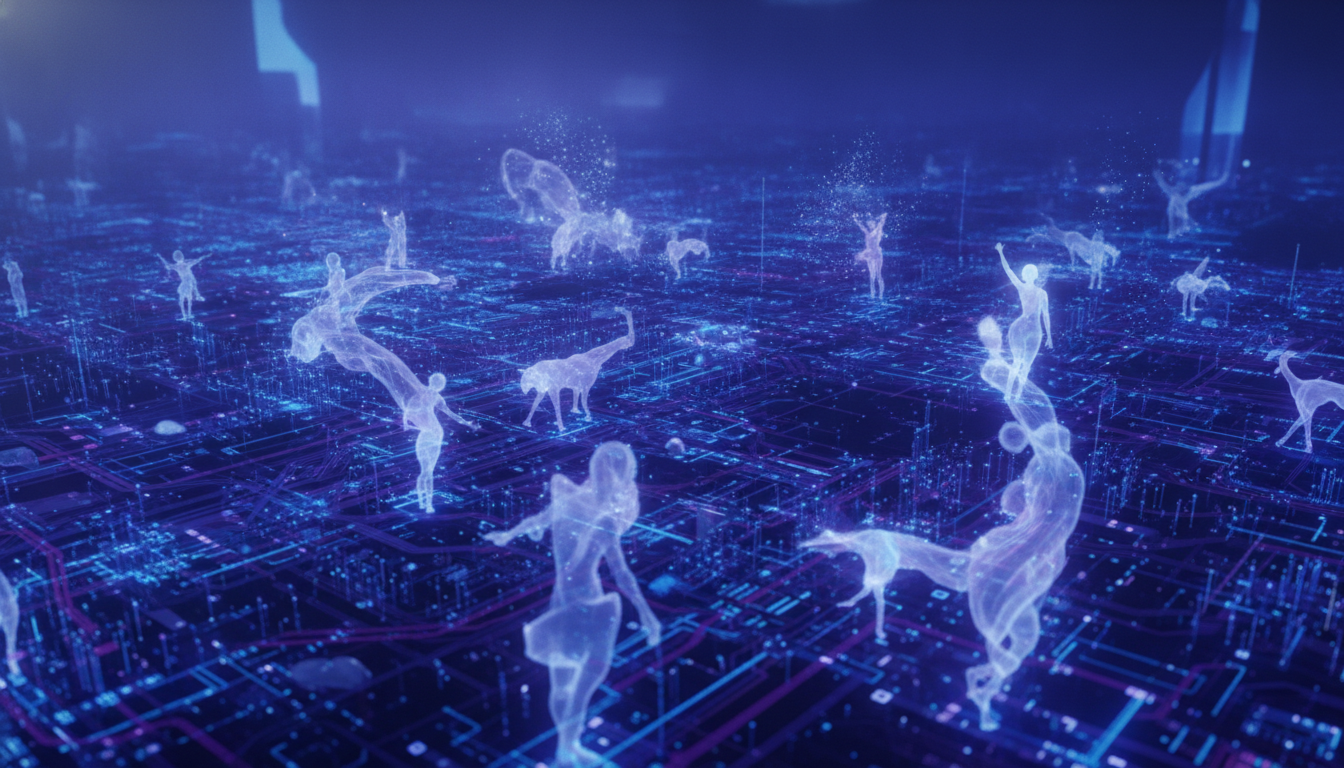
Discover the 'Character Sheet' method trending on Twitter for flawless image-to-video animation. Follow this VO3 AI tutorial for pro-level consistency in your photo-to-video projects.
Unlocking Consistent Image-to-Video Animation: The Character Sheet Method
Ever tried animating a single photo with AI, only to get weird morphs or shifting faces? Earlier today, @Primee32’s viral Twitter tutorial unveiled the 'Character Sheet' method—a workflow that keeps your subject consistent from start to finish in image-to-video generation. This strategy, originally demonstrated with Seedance 2.0 for marathon athletes, is now exploding across creators who want photo-to-video magic without the usual 'AI drift.'
What’s the secret? Build a minimal character sheet—front, side, back views of your subject—then feed those as reference to your video model. The result: no changing faces, no weird outfit swaps, just smooth, professional animation. Even for birthday greetings or brand UGC, this trick is a game changer.
Ready to try it? VO3 AI’s image-to-video tool now supports multi-image reference uploads, making the character sheet hack easier than ever.
Try in VO3 AI: Animate your image now
Why the Character Sheet Trick Works
AI models often struggle with character consistency, especially when animating from a single photo. The 'character sheet' workflow—long a staple in animation—gives the AI more data points to lock in identity, pose, and style. This is especially valuable for:
- Personal greetings (see the quinceanera video demo below)
- Brand mascot/athlete animation
- UGC ads with multiple characters (see this UGC workflow)
- Instagram Reels and TikTok content
With VO3 AI, you can build your sheet, upload, and get video output with remarkable fidelity. For best results, use the Veo 3 model for cinematic realism.
Workflow Block: Character Sheet Image-to-Video (VO3 AI)
Prompt Example:
A vertical handheld phone shot, slightly shaky and intimate. OPEN on a static beat: a framed printed portrait photo of a smiling 15-year-old Latina girl in a blush-pink quinceanera ball gown with a tiara. She blinks, smiles, and waves gently. The background stays consistent. Reference images: [front view, side view, back view of the girl in same outfit]
Recommended Model: Veo 3 AI video generator
Estimated Credits: $2.99 starter ≈ 4-6 short videos (up to 10s each)
Expected Output: 8-12 seconds per video, generation time 2-5 minutes
Try this workflow in the VO3 AI video tool
Step-by-Step: Consistent Image-to-Video Generation with VO3 AI
1. Create Your Character Sheet
Take or collect at least 3 images of your subject:
- Front view
- Side (left/right) view
- Back view
For best results, keep lighting and outfit consistent. If you’re animating a personal portrait, snap a few quick phone pics from different angles.
2. Upload to VO3 AI’s Image-to-Video Tool
Go to VO3 AI image-to-video and select Multiple Image Reference. Upload your character sheet images.
3. Write a Detailed Prompt
Combine visual cues and desired motion. Example prompt:
A smooth dolly-in shot on a young woman in a floral dress, smiling gently. She turns slightly, waves, and glances over her shoulder. Lighting: golden hour. Style: cinematic, soft background blur. Reference: [all 3 character sheet images].
4. Select the Model and Adjust Settings
Choose Veo 3 for realism and consistency. Set duration (8-12s recommended). Enable Reference Consistency toggle if available.
5. Generate and Download Your Video
Click Generate. Wait 2-5 minutes. Review the preview—faces and clothing should remain stable throughout. Download and share!
Demo Video: Character Sheet Animation in Action
Generated with VO3 AI — Image-to-video personalized quinceanera greeting: a printed portrait of the birthday girl animates, then cuts to family recording a heartfelt custom Spanish message.
Side-by-Side: Before/After Consistency
| Character Sheet Images | VO3 AI Output |
|---|---|
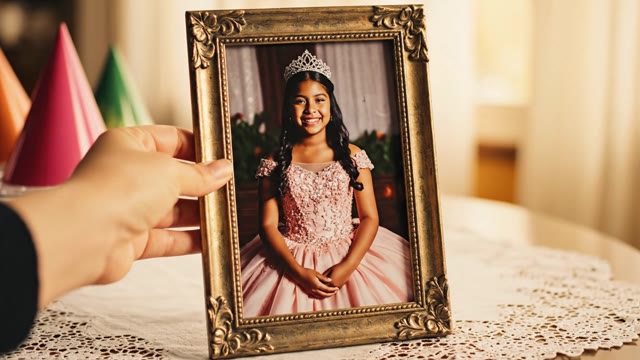 | |
Note: The face, hair, and dress remain consistent from start to finish—a huge improvement over single-photo workflows.
Pro-Tips & Common Mistakes
- Mistake: Using only a single blurry or low-res photo.
- Fix: Always use at least three high-quality images—front, side, back.
- Mistake: Inconsistent lighting or outfit across reference shots.
- Fix: Take all photos in one session.
- Mistake: Overly vague prompts ("make her move").
- Fix: Specify the type of motion and emotion—e.g., "waves gently, smiles, turns head left."
- Pro Tip: Try the reference-to-video workflow for advanced style or character locking on repeat content.
- Pro Tip: For animated UGC ads, combine this with the photo animation mini-app to mass-generate reels with different characters, as seen in UGC Twitter trends.
Key Takeaways
- The 'Character Sheet' hack anchors your subject’s look, preventing AI drift in image2video.
- VO3 AI’s multi-image reference makes this workflow seamless—even for non-technical creators.
- Combine detailed prompts with consistent imagery for pro-level results, perfect for birthday greetings, ads, and brand storytelling.
- For more creative uses—like TikTok UGC, role swaps, or cinematic ads—build on this workflow using VO3 AI.
Try in VO3 AI: Start your image-to-video workflow now
Try It Yourself
Want to see your own photo come to life with zero AI weirdness? Head to https://vo3ai.com, pick the 'image-to-video' tool, upload your character sheet, and let VO3 AI work its magic. For more inspiration, check out our AI video tool and explore workflows for photo animation or reference-to-video.
Ready to Create Your First AI Video?
Join thousands of creators worldwide using VO3 AI Video Generator to transform their ideas into stunning videos.
📚 Related Posts:
What is VO3 AI Video Generator: The Ultimate AI-Powered Video Creation Platform
Discover VO3 AI Video Generator - the revolutionary AI video creation platform
Read More →VO3 AI vs. Veo3 — What's the Difference?
Understand the key differences between VO3 AI and Google's Veo3
Read More →How to Use VO3 AI Video Generator: Complete Guide
Master VO3 AI Video Generator with our comprehensive tutorial
Read More →VO3 AI Video Generator - Where imagination meets innovation
Built on top of multiple AI video models including Veo3. Start your creative journey today and join the future of video creation.