5 Mind-Blowing Floating Building Videos You Can Make with VO3AI
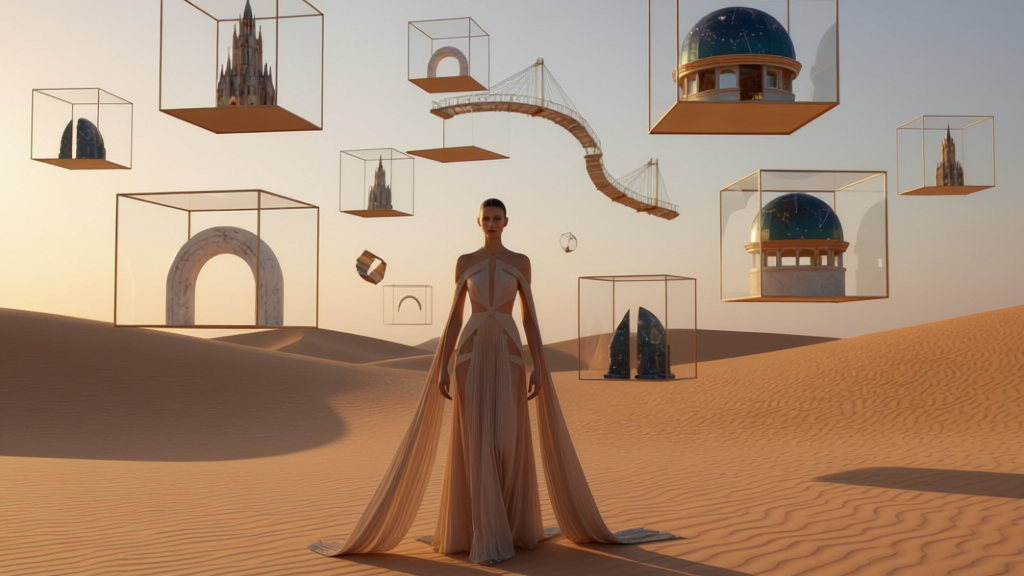
Learn how to build surreal sci-fi worlds using VO3AI. From generating floating buildings to animating them with cinematic motion, this guide takes you from concept to futuristic AI video in minutes.
Surreal contrast has become one of the most recognizable trends in AI art today. Whether it’s a giant fish standing in the desert or an impossible tower floating quietly above the sky, these dreamlike scenes capture attention instantly. They blend imagination with cinematic realism, producing visuals that feel both futuristic and strangely peaceful.
In this guide, you’ll learn exactly how to create a floating building animation using VO3AI. We’ll first generate a surreal image using Nano Banana Pro inside the VO3AI Image Generator, and then animate it using the Veo3.1 Fast model in the Image-to-Video tool.
Let’s bring your floating world to life.
1. Generate a Surreal Floating Building Image Using VO3AI
If you don’t already have a base image, VO3AI allows you to create one directly in the platform—no need for Midjourney, DALL·E, or Stable Diffusion unless you prefer them. VO3AI includes its own advanced image models, including the high-quality Nano Banana Pro model.
To get started, click Image in the left sidebar to open the VO3 AI Image Generator. You’ll see two creation modes at the top: Text to Image and Image to Image. For this tutorial, stay in Text to Image so you can generate a surreal floating building directly from a prompt.
1.1 Select the Right Model
In the Select Model section, choose:
- Nano Banana Pro (NEW)
This model specializes in bold, imaginative compositions—perfect for surreal structures, architectural fantasies, dreamlike landscapes, and the kind of high-contrast images that perform extremely well on TikTok and Instagram.
1.2 Write Your Image Prompt
In the prompt field (“Describe your image…”), write a clear description of your surreal architectural concept.
Example prompt:
A surreal floating building suspended in the sky above a quiet desert, whimsical architecture, cinematic lighting, dreamlike atmosphere, soft haze, clean composition, detailed textures.
1.3 Choose an Aspect Ratio
Below the prompt, choose an aspect ratio that fits the type of video you will create later:
- 16:9 – cinematic landscapes
- 9:16 – vertical videos for TikTok / Reels
Once ready, click Generate with VO3 AI to create your surreal floating-building image.
2. Transform the Image into a Cinematic AI Video (Image to Video)
With your surreal image complete, switch to video creation by clicking Video in the left sidebar. At the top of the screen, select Image to Video (HOT). This feature animates a still image by adding cinematic camera motion, atmospheric effects, and subtle movement.
2.1 Choose the Video Model
In the Select Model section, choose:
- Veo3.1 Fast (Recommended)
This model is optimized for architectural scenes, maintaining straight edges, realistic depth, and smooth movement. It minimizes distortion and produces the most stable results for floating structures and surreal environments.
2.2 Upload Your Image
Click Upload and import the floating-building image (minimum 300×300 pixels, maximum 2 MB).
2.3 Describe the Animation
In the field labeled “Describe how you want your image to animate…”, write a motion description—not an image description.
Suggested motion prompt:
Slow cinematic camera drift around the floating building, gentle parallax, drifting clouds, soft atmospheric motion, stable edges, no heavy deformation.
You may also click Suggest Prompt to generate an automatically recommended motion direction.
2.4 Adjust Video Settings
Configure the following key settings beneath the upload area:
- Resolution: 720p or 1080p
- Duration: e.g., 8 seconds (varies by plan)
- Aspect Ratio:
- 16:9 – wide cinematic
- 9:16 – vertical short-form
For floating architecture with open skies, 16:9 creates more immersive results. For short-form social platforms, pick 9:16.
2.5 Add a Style (Optional)
Enhance your animation by choosing one of these styles:
- Cinematic – film-like color and lighting
- Dreamscape – soft, ethereal, atmospheric
These presets fit surreal architectural themes extremely well.
2.6 Generate the Final Video
Click Generate with VO3 AI. The system will animate your still image using your motion prompt and the Veo3.1 Fast model, producing a smooth and detailed floating-building animation ready for download or sharing.
Watch the Final Result
🎥 Surreal floating building animation:
3. Where This Surreal Floating Architecture Aesthetic Performs Best
TikTok, Instagram Reels, YouTube Shorts
Short surreal animations with subtle motion attract strong engagement and high watch time.
AI Art and World-Building Threads
Floating architectural structures fit naturally into futuristic and imaginative world-building posts.
Concept Art and Creative Moodboards
These animations are ideal for designers visualizing sci-fi environments or setting the tone for world-building.
Viral Surreal Trends
Inspired by contrasts like “a fish in the desert,” floating buildings create the same instantly striking, visually memorable effect.
4. Tips for Best Results
- Keep backgrounds simple so the animation remains stable and clean.
- Use gentle motion—subtle movement creates a more cinematic feel.
- Select Veo3.1 Fast for architecture to avoid line distortion.
- Add atmospheric details such as drifting clouds or soft haze for extra depth.
Conclusion
Surreal contrast is one of the most powerful aesthetics in AI-driven content creation, and VO3AI makes it incredibly easy to produce cinematic floating-building animations. By generating your image with Nano Banana Pro and animating it with Veo3.1 Fast, you can create videos that feel imaginative, modern, and instantly shareable.
Ready to build your dreamlike floating world?
Create your first AI video with VO3AI →
Ready to Create Your First AI Video?
Join thousands of creators worldwide using VO3 AI Video Generator to transform their ideas into stunning videos.
📚 Related Posts:
What is VO3 AI Video Generator: The Ultimate AI-Powered Video Creation Platform
Discover VO3 AI Video Generator - the revolutionary AI video creation platform
Read More →VO3 AI vs. Veo3 — What's the Difference?
Understand the key differences between VO3 AI and Google's Veo3
Read More →How to Use VO3 AI Video Generator: Complete Guide
Master VO3 AI Video Generator with our comprehensive tutorial
Read More →VO3 AI Video Generator - Where imagination meets innovation
Built on top of multiple AI video models including Veo3. Start your creative journey today and join the future of video creation.